Why PDFs Are Slowly Disappearing From School Websites
Why PDFs Are Slowly Disappearing From School Websites
Open almost any school website and you’ll find them. Policies, newsletters, menus, term dates, uniform lists, letters home, all sitting as PDF downloads. For years that was simply how schools published things. Write it in Word, save it as a PDF, upload it, job done.
That’s slowly changing. More schools are putting their most useful information straight onto web pages instead, and school website accessibility is a big part of the reason. This post explains why PDFs are on the way out, what the law actually says about them, and how to move away from them calmly, a term at a time, without turning it into a huge project.
The short answer
PDFs are disappearing from school websites because they work badly on phones, they often don’t work well with screen readers and other assistive technology, and they’re harder to keep up to date than a web page. Most parents now read your website on a smartphone, so a document designed for A4 paper is often the worst way to reach them.
Here are the key facts in one place:
- The Government’s own advice is to publish in HTML wherever possible. GOV.UK’s guidance on publishing accessible documents says PDFs “can make your content harder to find, use and maintain” and “do not work well with assistive technologies like screen readers a lot of the time”.
- Schools are partially exempt from the accessibility regulations, not fully exempt. The Public Sector Bodies (Websites and Mobile Applications) (No. 2) Accessibility Regulations 2018 exempt schools and nurseries except for content relating to “essential online administrative functions”, and GOV.UK says partially exempt organisations still need an accessibility statement.
- PDFs published before 23 September 2018 are exempt from the regulations, unless they’re needed for an active administrative process, such as a form parents use to apply for something.
- The Equality Act 2010 applies regardless. Every school has a duty to make reasonable adjustments, and must have a written accessibility plan that includes improving how information reaches disabled pupils.
- Phones dominate. Ofcom’s Online Nation 2025 report found smartphones account for 77% of the time UK adults spend online, rising to 85% for 25 to 34 year olds.
None of this means every PDF has to go tomorrow. It means the PDF should stop being the default.
What’s actually happening to PDFs on school websites
When we look at school websites, the pattern is very consistent. The pages themselves are often fine. The trouble is what’s linked from them. A “Policies” page with forty PDF links. A “Newsletters” page that’s a list of files called things like “Newsletter_final_v3.pdf”. A uniform page that’s one sentence and a download.
The schools moving away from this aren’t doing it because of a new rule. Nothing has changed in the DfE lists of what schools must publish online, and nothing in those lists says a policy has to be a web page rather than a PDF. They’re doing it because it works better for parents, it’s easier for staff to keep current, and it takes a lot of accessibility problems off the table in one go.
The Government went through the same shift years ago. Back in 2018 the Government Digital Service wrote that GOV.UK still had around 200,000 PDFs and was publishing tens of thousands of new ones each month, and set out why it wanted an “HTML-first culture” instead. Schools are simply arriving at the same place, for the same reasons.
Why PDFs make school website accessibility harder
A PDF isn’t automatically inaccessible. A well-made PDF, properly tagged, with headings, alt text and a sensible reading order, can work reasonably well. The problem is that most school PDFs aren’t made that way, because the person making them is a busy office manager saving a Word document at four o’clock on a Friday, not an accessibility specialist. Here’s what goes wrong.
They don’t reflow on a phone
A web page rearranges itself to fit whatever screen it’s on. A PDF doesn’t. It keeps its A4 layout, so on a phone a parent has to pinch, zoom and scroll sideways to read each line. GDS put it plainly: PDFs “generally require a lot of zooming in and out, and scrolling both vertically and horizontally”. On a 30-page policy that’s a reason to give up.
Screen readers often struggle
People who are blind or have low vision often use screen reader software, which reads the page aloud and lets them jump between headings. That only works if the document has real structure underneath it. A PDF made by “printing” to PDF, or from a scanned letter, often has no headings, no tags and sometimes no readable text at all, just a picture of a page. The screen reader either reads it in the wrong order or reads nothing.
Parents can’t change colours, text size or fonts
Plenty of people adjust how websites look. Someone with dyslexia might change the font or background colour. Someone with low vision might zoom to 300%. On a good web page the text simply wraps and gets bigger. In a PDF, as GDS noted, “the words might not wrap and the font might pixelate”, so zooming in just pushes the text off the edge of the screen.
They pull people away from your website
Click a PDF on a phone and it might open in a new tab, a separate app, or just download into a folder the parent will never find again. Either way, they’ve left your website. Your menu, your search and your contact details have gone. If they arrived at the PDF straight from Google, they may never see the rest of your site at all.
They go out of date quietly
This is the one that catches schools out most. Once a PDF is downloaded, a parent keeps that copy and assumes it’s current. Meanwhile you’ve updated the uniform supplier, the term dates or the lunch price. The website has the new version, but half your parents are still reading last year’s. A web page has one version, and it’s always the latest.
Mobile-friendly school websites: why the phone changes everything
If there’s one fact that explains the whole shift, it’s this. Ofcom’s Online Nation 2025 report found that smartphones made up 77% of all the time UK adults spent online in May 2025, up from 75% the year before. For 25 to 34 year olds, which is a lot of primary school parents, it was 85%.
So the realistic picture of a parent reading your website is not someone sitting at a desk with a large monitor. It’s someone on the school run, in a lunch break or on the sofa, holding a phone in one hand. A mobile-friendly school website isn’t a nice extra any more. It’s the main way people meet you.
That’s where PDFs really fall down. Your website might be beautifully responsive, but the moment a parent taps a PDF, they’ve stepped out of that responsive design and into a fixed A4 page. The parts of your site parents need most, the menus, the letters, the dates, the policies, are often exactly the parts locked in PDFs. If you’d like to see what parents tend to look for first, our post on what parents actually notice on a school website is a good companion to this one.
What the accessibility regulations say about PDFs on school websites
This is where a lot of confusion lives, so it’s worth being precise. Two pieces of law matter, and they do different jobs.
Schools are partially exempt, not fully exempt
The accessibility regulations, in full the Public Sector Bodies (Websites and Mobile Applications) (No. 2) Accessibility Regulations 2018, came into force on 23 September 2018. They set accessibility requirements for public sector bodies’ websites and mobile applications.
Regulation 4(1)(c) says they don’t apply to the websites of schools or nurseries, “except for the content of their websites or mobile applications relating to essential online administrative functions”. GOV.UK describes primary and secondary schools and nurseries as partially exempt, and gives the example of “a form that lets you outline school meal preferences”. It also says partially exempt organisations would need to publish an accessibility statement.
So the honest summary is this. The regulations don’t require every page of a school website to meet the full standard. They do cover the things parents need to use your services, such as forms and online processes, and you should have an accessibility statement either way.
Office file formats and the 2018 cut-off
The regulations have a specific rule about documents. Regulation 4(2)(a) says they don’t apply to “office file formats published before 23rd September 2018, unless such content is needed for active administrative processes”. The definition of office file formats names Adobe Portable Document Format directly, alongside Microsoft Office documents.
In plain English, most older PDF documents on your site are exempt from the regulations. A PDF you published after that date, or an old one parents still need to complete a process, isn’t. An admissions form, an application for a club or a free school meals form all count as active administrative processes.
The Equality Act still applies
Here’s the part people forget. Whatever the accessibility regulations say, the Equality Act 2010 applies to every school. GOV.UK’s guidance on accessibility requirements is clear that all UK service providers have a legal obligation to make reasonable adjustments under the Equality Act. If a parent with a visual impairment can’t read your attendance policy because it’s a scanned image, being “partially exempt” from the 2018 regulations doesn’t change that. The Equality and Human Rights Commission covers this in Great Britain, and the Equality Commission for Northern Ireland does the same job there.
Your accessibility plan covers information too
Schedule 10 of the Equality Act requires every school’s responsible body to prepare a written accessibility plan. One of its three parts is “improving the delivery to disabled pupils of information which is readily accessible to pupils who are not disabled”. The Act’s own explanatory notes give “producing newsletters in Braille” as an example. If your plan talks about accessible information but your website is a wall of untagged PDFs, that’s a gap an inspector or a parent could reasonably point to.

Your accessibility statement and PDFs
Your website accessibility statement is where PDFs show up in black and white. It’s a short page, usually linked from the footer, that tells visitors how accessible the site is and what to do if something doesn’t work for them. The GOV.UK sample accessibility statement is the model most schools use, and it’s worth knowing what it asks for.
Compliance status
The statement has to say whether the website is fully compliant, partially compliant or not compliant with the accessibility standards. Most school statements honestly say partially compliant, and PDFs are usually a big part of why. That’s fine, if it’s true.
Non-accessible content
This section lists what isn’t accessible and why. On a typical school site you’ll see lines such as “most older PDF documents are not fully accessible to screen reader software” and notes about embedded Google Maps or third party content. The fewer PDFs you rely on, the shorter and more confident this section becomes.
Reporting accessibility problems
The statement should tell people how to ask for information in a different format, such as large print, an audio recording or Braille, and how to report accessibility problems. Give a named email address and a realistic response time. If a parent asks for a policy in a different format, treat it as a priority, not an inconvenience.
Enforcement procedure
The GOV.UK sample also includes an enforcement procedure section, explaining that the Equality and Human Rights Commission is responsible for enforcing the accessibility regulations, and that people who aren’t happy with your response can contact the Equality Advisory and Support Service. In Northern Ireland it’s the Equality Commission for Northern Ireland.
The sample statement also describes what a good site lets people do. It talks about being able to change colours, contrast levels and fonts, zoom in up to 300% without the text spilling off the screen, navigate most of the website using just a keyboard, navigate most of the website using speech recognition software, and listen to most of the website using a screen reader. Read that list again and think about your PDFs. A web page can do all of it. Most school PDFs can do very little of it.
If you’d like more background on the statement itself and the exempt content rules, we’ve covered it in school website accessibility and exempt content and, for the bigger picture, why school website accessibility matters.
Meeting the accessibility requirements: WCAG 2.2 in plain English
The standard behind all of this is the Web Content Accessibility Guidelines, usually shortened to WCAG. The Government’s accessibility requirements point to WCAG 2.2 at level AA. You don’t need to read the whole thing, but it helps to know what it’s checking. In practice, meeting the AA standard means things like:
- Text has enough contrast against its background, so poor colour contrast doesn’t make it hard to read.
- Images have alternative text that describes them.
- Pages use appropriate headings in a sensible order.
- Links use descriptive link text, not “click here”.
- Everything can be reached with a keyboard, not just a mouse.
- Form controls are labelled and error messages explain what went wrong.
- Content still works when someone zooms right in, without text spilling off the screen.
Notice how much of that a good content management system does for you on a web page. Headings, alt text fields, accessible forms and layouts that reflow are built into the page. In a PDF you have to do every one of those things by hand, and check it, every single time.
Which school website content should be a web page
You don’t need to convert everything. The trick is to start with what parents actually use, and leave the rest for later.
Move these first
- Term dates and key dates. Parents check these constantly, usually on a phone. A simple page or table is far easier than a PDF calendar.
- Uniform. What to buy, where to buy it and what it costs. This changes and parents need the current version.
- Lunch menus and dinner money. Checked weekly and almost always on a phone.
- Admissions information. Key dates, how to apply and how to visit. Anything that’s part of an application process is exactly what the regulations cover.
- SEND information. The parents reading this are the most likely to need accessible formats.
- Your accessibility statement and contact details. These must never be a PDF.
- Newsletters. A short web post with the highlights works far better than a designed PDF. We’ve gone into why in why a school website newsletter works better than long email updates, so I won’t repeat it here.
Fine to keep as a PDF, with care
- Long formal policies that governors approve as a fixed document, ideally with a short web page summary above the download.
- Signed or dated records, such as minutes or an inspection report, where the point is to show exactly what was said at a moment in time.
- Printable resources that parents genuinely want to print, such as a reading record.
- Older archive documents published before 23 September 2018 that nobody needs to complete a process.
Even in these cases, GOV.UK’s advice is to provide an HTML version alongside the PDF where you can. A short page that summarises the policy in plain English, with the full PDF underneath, gets you most of the benefit for very little effort.
What an accessible PDF needs if you must keep one
Where a PDF genuinely is the right format, make it an accessible PDF. GOV.UK’s publishing guidance gives a sensible list, and most of it happens in Word before you ever save the file:
- Use real heading styles instead of bold text, starting with Heading 1 for the title, and don’t skip levels.
- Add alternative text to images and charts, and avoid decorative images.
- Use proper table headers rather than a grid of bold cells.
- Write meaningful link text.
- Check colour contrast.
- Run the built-in accessibility checker in Word before you export.
- Give the file a short, clear filename that says what it is, for example “attendance-policy-2026.pdf”, not “Doc1_final_FINAL.pdf”.
- Never upload a scanned letter as an image. If you must scan, run it through text recognition first so the words are real text.
It’s worth being honest about one thing. GOV.UK notes that even PDF/A, the archiving format, “cannot be made fully accessible to all users of assistive technology”. That’s why the advice is always to treat the PDF as the extra copy, not the only copy.

How to move from PDFs to web pages without a big project
The schools that do this well don’t try to convert everything in a summer. They change the habit, then work through the backlog steadily. Here’s a simple way to do it.
This half term: change the default
Agree one rule with whoever updates the website. From now on, anything new goes up as a web page first, and a PDF only if there’s a clear reason. That one decision stops the problem growing, which is half the battle.
Next half term: fix the top ten
Look at your website analytics, or just ask the office what parents ring up about. Pick the ten most used PDFs, usually term dates, uniform, menus, admissions and SEND, and turn them into pages.
Then: tidy the archive
Go through the remaining downloads. Delete anything out of date, which on most sites is a surprising amount. Add a short summary page above long policies. Make sure any PDF still needed for a process meets the accessible PDF checklist above.
Every term: review it
Build a quick website check into your normal calendar, the same way you’d review a policy. Are new PDFs creeping back in? Are the pages still current? This is exactly the Always Ready approach we talk about with website compliance: steady, regular and calm, rather than a panic before an inspection. Our post on the most common school website compliance mistakes shows how often out of date documents are the root of a problem.
A practical checklist for school website accessibility
Use this as a quick audit of where you are today:
- Do we have an accessibility statement, linked from every page, with an honest compliance status?
- Does it explain how to request information in a different format and how to report accessibility problems?
- Does it include the enforcement procedure?
- Are term dates, uniform, menus, admissions and SEND information on web pages rather than only in PDFs?
- Are all forms parents use to apply for something accessible, ideally as online forms?
- Have we removed scanned image PDFs, or replaced them with real text?
- Do the PDFs we keep have headings, alt text and clear filenames?
- Do long policies have a short web page summary?
- Have we checked the site on a phone, not just a laptop?
- Have we tried navigating with just a keyboard?
- Do our brand colours give enough contrast for text?
- Do images on our pages have meaningful alt text?
- Does our accessibility plan’s section on information match what’s really on the website?
- Is there a named person responsible for checking new content each term?
Common mistakes to avoid
- Assuming “partially exempt” means “exempt”. It doesn’t. Forms and processes are covered, you still need a statement, and the Equality Act applies to everything.
- Uploading scanned letters. A photo of a page is invisible to a screen reader and can’t be searched. It’s the single worst kind of PDF.
- Putting the only copy of important information in a PDF. If a parent needs it to make a decision or meet a deadline, it should be on a page.
- Leaving old versions online. Three versions of the uniform list on one page guarantees someone reads the wrong one.
- Vague link text. A list of links that all say “Download” tells a screen reader user nothing.
- Copying a template accessibility statement without checking it. If it says your PDFs are accessible and they aren’t, it’s worse than saying nothing.
- Treating it as a one-off clean up. Without a change of habit, the PDFs come back within a term.
- Only testing on a desktop. Most of your parents never see the desktop version.
Ongoing efforts: keeping it accessible all year
Accessibility isn’t something you finish. Staff change, new letters go out every week, and evolving accessibility standards move on, as they did when WCAG 2.2 arrived in 2023. The schools that stay on top of it treat accessible content as part of how they publish, not a project they do once.
That usually comes down to three simple things. A clear house rule that pages come first. A short termly check by a named person. And a website platform that makes the accessible option the easy option, so staff aren’t fighting the system to do the right thing. When adding a web page is as quick as uploading a PDF, the PDFs quietly stop appearing.
How Schudio helps schools improve accessibility
This is the thinking behind how we build school websites. Our school website software is designed so staff can publish proper pages, with headings, images and tables, as easily as they’d upload a file, and so those pages work on any phone. If you’d like to see how that would look for your school’s term dates, policies or newsletters, we’re happy to show you.
If you’d like to check where your website stands overall, our free School Website Requirements Guide sets out what schools must and should publish, and our free school website compliance workshop walks through it live, with time for questions. Or just get in touch and we’ll talk it through.
Frequently asked questions
Do schools have to remove PDFs from their websites?
No. There’s no rule saying schools must remove PDFs, and the DfE lists of what schools must publish online don’t specify a format. The point is that PDFs shouldn’t be the only way to get important information, and any PDF parents need to complete a process should be accessible. Moving key content onto web pages is simply the most reliable way to do that.
Are schools covered by the accessibility regulations?
Partially. The 2018 accessibility regulations exempt schools and nurseries except for content relating to essential online administrative functions, such as forms. GOV.UK says partially exempt organisations still need to publish an accessibility statement. Separately, the Equality Act 2010 applies to all schools in full.
Are old PDFs on our website exempt?
PDFs and other office documents published before 23 September 2018 are exempt from the accessibility regulations, unless they’re needed for an active administrative process. They’re still covered by the Equality Act, so if someone asks for one in an accessible format, you should provide it.
What should our accessibility statement say about PDFs?
Be honest and specific. If some PDFs aren’t fully accessible, say so, explain which ones and why, say what you’re doing about it, and tell people how to request the information in a different format. The GOV.UK sample accessibility statement is a good starting point, but check every line against your actual site.
Is an accessible PDF as good as a web page?
It’s much better than an inaccessible one, but usually not as good as a web page. Even a well-made PDF doesn’t reflow on a phone and is harder for some assistive technology. GOV.UK’s advice is to publish in HTML wherever possible and treat the PDF as an additional format.
What is WCAG and which level should a school aim for?
WCAG stands for the Web Content Accessibility Guidelines. Government accessibility requirements point to WCAG 2.2 at level AA, so that’s the sensible target for any school website, even where the school is only partially covered by the regulations.
Sources: GOV.UK, Publishing accessible documents; GOV.UK, Understanding accessibility requirements for public sector bodies; legislation.gov.uk, The Public Sector Bodies (Websites and Mobile Applications) (No. 2) Accessibility Regulations 2018, regulation 4; legislation.gov.uk, Equality Act 2010, Schedule 10 and explanatory notes; Government Digital Service blog, Why GOV.UK content should be published in HTML and not PDF (16 July 2018); Ofcom, Online Nation 2025 (10 December 2025).

Related Posts
Ian Richardson
October 13, 2026
AI-generated school content saves time, but accuracy, tone and safeguarding still need a person. What DfE guidance says, who reviews what, and a checklist.

Ian Richardson
October 7, 2026
What a school website chatbot should answer, what it should never answer, and how to get your pages ready before you switch one on. A guide for leaders.

Ian Richardson
September 30, 2026
What schools should not use AI for, the AI safeguarding risks behind each limit, what KCSIE 2026 now says, and a practical checklist for school leaders.

Ian Richardson
September 16, 2026
Introducing the Schudio AI Suite: AI school website software that checks what you publish, drafts pages in your school's voice and answers parents' questions.
Ian Richardson
July 29, 2026
What parents look for in a school, and how your website answers it before they visit: culture, safeguarding, SEND support and clear practical information.
Ian Richardson
June 24, 2026
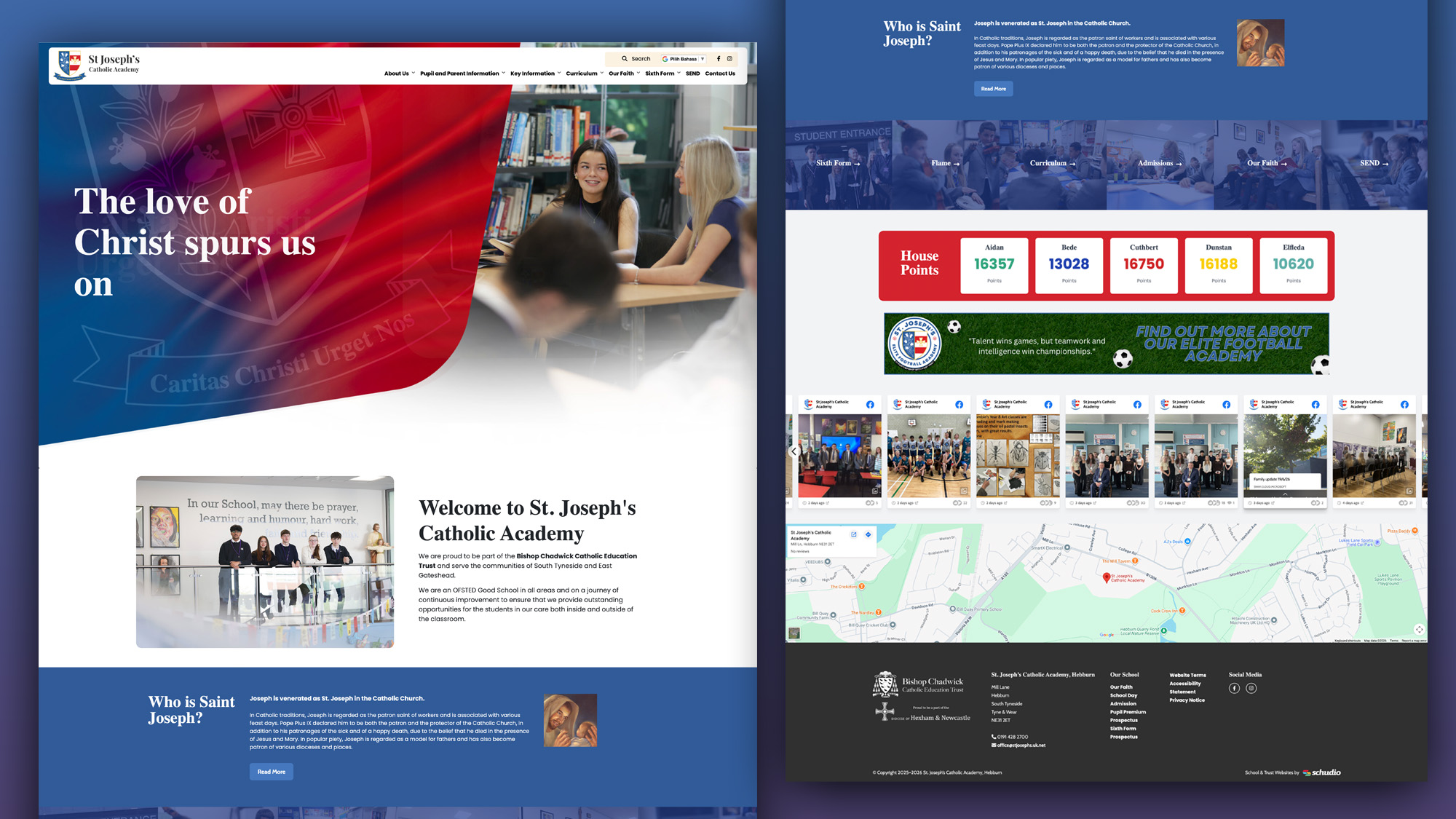
A school website says a lot before a parent reads a full page. Parents make ..