What Should a School Website Look Like in 2027?
What Should a School Website Look Like in 2027?
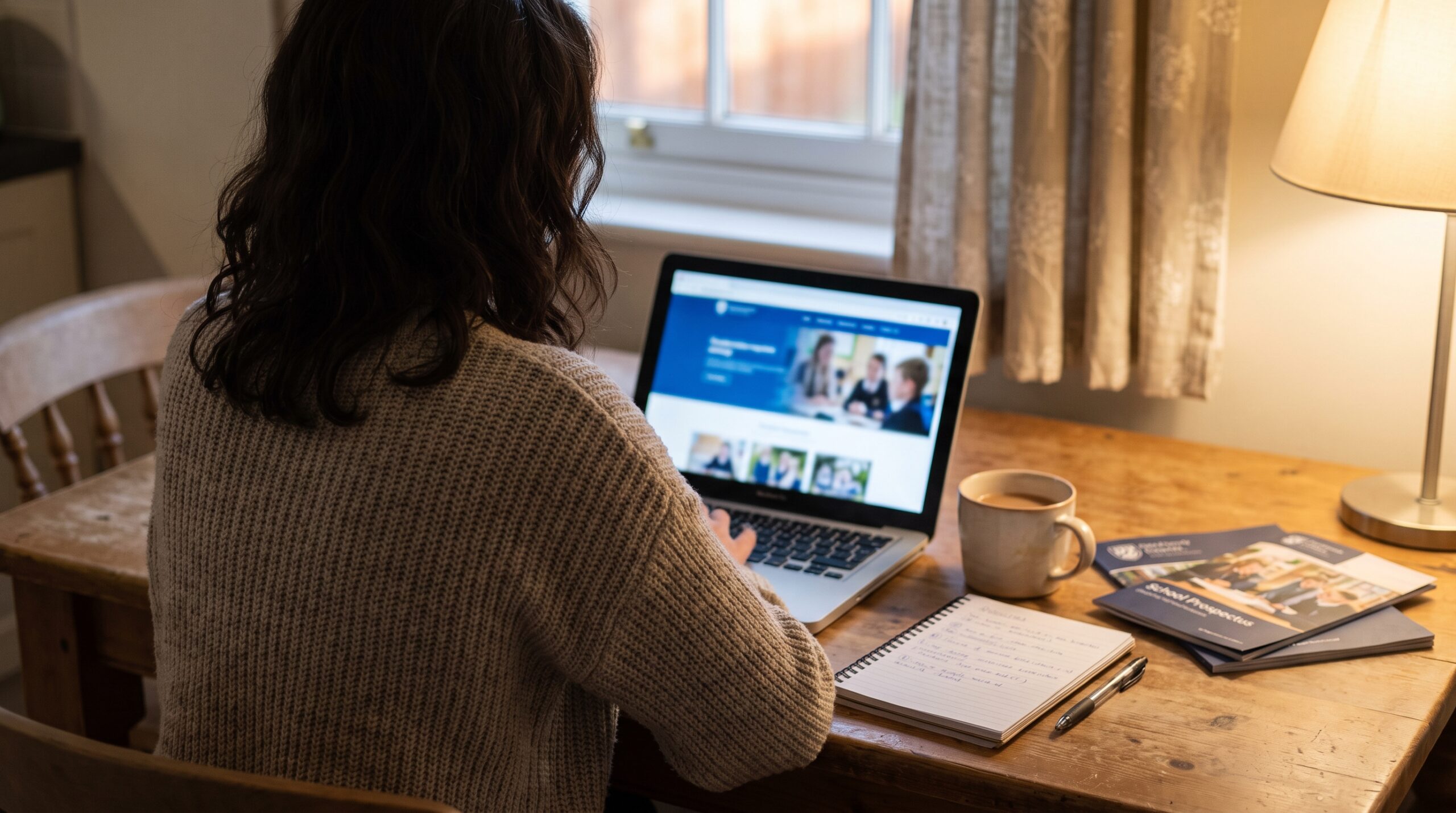
If you asked ten parents what a good school website looks like, most of them would struggle to describe one. Ask them what a bad one looks like and they’ll tell you straight away: the term dates they couldn’t find, the PDF that wouldn’t open on their phone, the news page that stopped in March. That gap is where the real school website trends for 2027 live. They aren’t about fashion. They’re about whether a busy parent can get what they need, quickly, on the device in their hand.
This is a practical guide for headteachers, business managers and trust leaders. It covers what’s actually changing, what the evidence says, and what a school website should look like by 2027 if you want it to keep earning the trust of current families and win over prospective parents. There’s a checklist, a list of common mistakes to avoid and an FAQ at the end.
The short answer: what a school website should look like in 2027
If you only read one section, read this one. By 2027 a good school website will be:
- Built for the phone first. Smartphones now account for 77% of the time UK adults spend online, according to Ofcom’s Online Nation 2025 report. Most parents will meet your school on a small screen.
- Easy to find your way around. Intuitive navigation that matches the questions parents actually ask, not the way the staffroom files things.
- Accessible by default. The technical standard for public sector websites is WCAG 2.2 AA, and the Government Digital Service has monitored against it since October 2024.
- Written as web pages, not PDFs. Key information readable straight on the page, with documents kept for the things that genuinely need to be documents.
- Visibly alive. Regular news and upcoming events that show the school is busy, not a homepage that hasn’t changed since September.
- Honest and real. Your own photography, your own voice, and short videos where they help.
- Clear about admissions. A simple admissions process that a family can follow without ringing the office.
- Kept compliant all year. Statutory information that’s right every day, not just in the week before an inspection.
- Helped by AI, checked by people. Tools that save staff time, with a person reviewing everything that goes live.
None of that needs a huge budget. It needs a clear plan, the right tools and someone who owns the website. The rest of this guide explains each point and why it matters now.
Why school website trends matter more than they used to
For a long time a school website was a noticeboard. It was where you put the things you had to put somewhere. Three things have changed that, and they all point the same way.
Fewer children and more choice for families
Pupil numbers are falling, and they’re falling faster than expected. The Department for Education’s national pupil projections, published on 16 July 2026, project that state-funded nursery and primary pupils in England will drop from 4,424,000 in 2026 to 3,951,000 by 2031. That’s about 473,000 fewer children, a fall of almost 11% in five years. Secondary numbers are starting to fall too, from 3,216,000 to 2,967,000 over the same period. The DfE puts this down to births, which rose until 2012 and have dropped since.
When there are fewer children in an area, families have more real choice, and schools feel it in their budgets. The school website is usually the first place prospective families form a view, long before they book a visit. If it looks tired or confusing, some of them simply won’t book.
Parents are reading more for themselves
Ofsted’s new report cards, used on inspections from 10 November 2025, no longer give a single overall grade. Instead they show grades across several areas on a five point scale, with safeguarding marked as met or not met. Ofsted says it designed them with parents and carers in mind.
That’s a good thing, but it means families now have to read a bit more to understand a school. Many will go from the report card straight to your website to fill in the gaps: what the curriculum looks like, how you support children with SEND, what a normal day feels like. Your website has to answer those questions clearly. We covered this in more detail in our guide to the Ofsted inspection framework and your school website.
The phone is now the main screen
Ofcom’s figures are worth sitting with. Smartphones account for 77% of time spent online. Almost one in five adults who go online (18%) only use a smartphone, and that rises to 30% in lower income households, according to Ofcom’s Adults’ Media Use and Attitudes report 2025. Of those phone only users, 49% said they struggle to fill in forms on a phone compared with a laptop.
So the parent most likely to need your website to work well on a phone is often the parent with the least spare time and the fewest alternatives. That’s a strong reason to design for mobile devices first, and it’s an inclusion point as much as a design one.
School website trends for 2027: the ten that actually matter
There are plenty of lists of website design trends online, and most of them are written for businesses or for independent schools with big marketing teams. These are the ones that matter for a UK state school or trust, roughly in order of impact.
1. Built for the phone first, not squeezed onto it
Mobile first means you design for the small screen and then let it grow, rather than designing for a desktop and hoping it shrinks nicely. In practice that means short pages, big tap targets, menus that open cleanly, and no horizontal scrolling. Tables that work on a laptop often break on a phone, so present information as short lists where you can.
Test it properly. Pick up your own phone, go to your homepage and try to find the term dates, the uniform list and how to report an absence. Time yourself. If it takes more than a few taps, families are feeling the same friction every week.
2. Intuitive navigation that matches how parents think
Navigation is where most school websites lose people. Menus grow over the years until there are eight top level sections and forty pages underneath, each named after whoever set it up. Parents don’t think in those terms. They think “what’s happening this week”, “how do I apply” and “who do I talk to”.
The best school website menus are short, use plain words and put the most used pages within one tap of the homepage. Term dates, the calendar, letters home, uniform, lunch menus and contact details are the pages parents visit most, so make them easy. A good search box helps too, because some families will always search rather than browse. For many schools, multilingual support matters as well: a clear translate option helps families who speak English as an additional language feel part of the school community from day one.
If you’d like to know what families look at first, our piece on what parents actually notice on a school website goes through it section by section.
3. Accessible by default
Being accessible is moving from a nice extra to a basic expectation. The accessibility regulations for public sector websites came into force in 2018, and the technical standard is now WCAG 2.2 AA. Schools and nurseries are partially exempt, but not for the content people need to use your services, such as forms. GOV.UK’s guidance says partially exempt organisations still need to publish an accessibility statement, and every school has duties under the Equality Act 2010 to make reasonable adjustments.
The common problems the Government Digital Service finds are not exotic. Its monitoring report for 2022 to 2024 lists poor colour contrast, no visible focus for keyboard users, pages that can’t be used with a keyboard, and sites that don’t reflow on different screen sizes. Most of those are design decisions, which means they’re fixable.
Being accessible is also simply good design. Clear headings, decent contrast and readable text help every visitor, including the parent reading on a cracked phone screen in bright sunlight at the school gate.
4. Pages instead of PDFs
For years the easiest way to put something on a school website was to upload a PDF. The result is a website where the important information lives in files that are hard to read on a phone, hard for a search engine to read properly and often not accessible.
The trend is towards writing key information as proper web pages. Your SEND information, your admissions arrangements summary, your uniform list and your behaviour approach can all be readable pages, with the full policy linked underneath for anyone who wants it. Families get the answer straight away, and you get website content that’s easier to keep up to date. Pages also help when parents use a search engine, because Google can read a page far more easily than a scanned document.
5. News that shows the school is alive
A homepage with old news sends a message, even when it isn’t true. Parents notice when the latest news item is from last term, and prospective families notice even more. The schools that do this well publish little and often: short news articles, a few photos and a sentence or two about what the children did. Keeping content fresh this way also shows the wider community what the school is proud of.
This works best when the website sits at the centre of your communication, with newsletters, letters home and social media all pointing back to it. We explain how to set that up in why school websites should be the centre of school communication. A live calendar and recent news on the homepage do more for confidence than any slogan.
6. Real photography, careful images of children, and short videos
Families can spot stock photography instantly, and it makes a school look generic. Your own photography of classrooms, pupils’ work, the building and the people who work there is far more convincing. It doesn’t need to be professional every time. A clear, well lit photo of a real lesson beats a glossy image of somebody else’s school. A small image gallery after a trip or a sports day tells the story better than a paragraph ever could.
Images of pupils need more thought than they used to, though. The Home Office’s factsheet on the Crime and Policing Act 2026 explains that offenders are optimising AI models by training them on “the likeness of a specific child”. A clear, close, front facing photo of a pupil on a public website is exactly the kind of image that can be copied and misused.
That doesn’t mean taking children off your website. It means being more deliberate about how they appear:
- Take real photos with care. Show pupils from behind, side on, at a distance or busy with their work, rather than in close, front facing portraits. Never put a pupil’s full name next to their photo.
- Keep consent current. Check consent before anything goes up, review it every year, and take images down quickly when a family withdraws it.
- Use AI generated images where a recognisable child would otherwise be needed. A child who doesn’t exist can’t be traced back to a real pupil, so every generated image used instead of an identifiable photo is one less real child’s face online. That can include your own uniform and setting, for banners and general pages.
If you do use AI generated images of children, a few rules keep it safe:
- Create them entirely from a written description. Never upload, edit or “improve” a real pupil’s photo with an AI tool. That creates a manipulated image of a real child, and it’s a data protection question for your DPO.
- Be honest that they’re illustrative. Use them for general pages, banners and themes, never to show a real event, a real class or a named pupil’s achievement.
- Use a tool you’re licensed to use commercially. The DfE’s guidance on generative AI in education warns about “secondary infringement”, and uses an AI image on a school website as its example.
- Check every image before it’s published. AI still gets hands, faces and uniforms wrong.
- Write it into your image policy. Say when AI images are used and who signs them off.
Real photography still does the heavy lifting for your staff, classrooms, building and pupils’ work. AI images are the safer choice in a narrow set of cases, not a replacement for showing families your real school. We go into more detail in our guides to school website pupil photos and AI risks and what schools should not use AI for.
Short videos are becoming more common too: a welcome from the head, a walk round the building, a minute on what the early years looks like. Virtual tours help families who can’t easily make an open day. Keep videos short, add captions, and apply the same consent and safeguarding thinking to every pupil who appears.
7. A clear, honest admissions process
Admissions is where your website does its most commercial job, and it’s where many sites are weakest. A family wants to know three things: can we get a place, how do we apply, and when can we visit. If the answers are buried in a long PDF, some families won’t get that far.
A good admissions section explains the process in plain steps, links to the local authority or trust application where that applies, shows the key dates, and makes booking a visit or open day easy. If you’re a school that takes in year applications, say so clearly and tell families how to ask about a place.
8. AI that helps, with a person checking
AI is arriving in school websites in practical ways: help drafting news stories and newsletters, checking pages for missing information, and answering common questions through a website assistant. Used well, it gives staff time back. Used carelessly, it publishes mistakes in the school’s name.
The rule we’d give any school is simple. AI can help create and check content, but a person reviews everything before it goes live, and nothing about admissions, safeguarding, SEND or policies should ever be invented by a tool. Our guide to AI school website software explains what these tools do and don’t do, and our piece on school website chatbots covers what an assistant should and shouldn’t answer.
9. Websites that do operational jobs
The website is quietly becoming part of how a school runs. Forms for absences, clubs, trips and consent. Admissions enquiries. Calendars that sync to parents’ phones. Newsletters published once and shared everywhere. Each of these takes a little pressure off the office and gives families a better experience.
That’s also where digital leadership matters. The DfE’s digital and technology standards ask every school to have a member of the senior leadership team responsible for digital technology, and to work towards six core standards by 2030. The website isn’t one of those six, but it should sit inside the same thinking: owned, planned and reviewed, not left to whoever has a spare afternoon.
10. Compliance kept up all year
Compliance isn’t glamorous, but it’s the trend with the clearest consequences. The two DfE lists of what schools must publish online were last updated on 24 October 2024, so the core requirements haven’t changed since then. What does change is the detail around them, and how much drifts out of date on a typical website over a year.
A good example from this year: since 1 September 2026, the Children’s Wellbeing and Schools Act 2026 has required schools to publish an allergy safety policy on their website. That duty came into force through commencement regulations made in August 2026, and it isn’t on either DfE list yet. A website that’s kept up all year catches changes like that. A website that’s checked once a year doesn’t.
Our own evidence shows how much this matters. In The State of School Website Compliance 2025, based on 247 audits of school websites, only 6.5% scored 100%, even though the average was 80.2%. Most schools are close. Very few are fully there, and the gaps are usually in the detail, such as governance information, which was missing or incomplete in 49.8% of audits. The free School Website Requirements Guide includes the full report and a section by section checklist.
What makes a great school website design in 2027
Website design trends come and go, but the best school website designs share a few qualities that aren’t going anywhere. They’re calm, clear and confident. Here’s what that means in practice.
Clean design and plenty of white space
Clean design isn’t about being plain. It’s about giving each thing room so a visitor can see what matters. Too many homepages try to say everything at once, with sliders, pop ups, scrolling tickers and six buttons in different colours. Parents skim, so give them less to skim past.
Bold typography that’s easy to read
Big, clear headings and readable body text are one of the simplest ways to make a site feel modern. Good typography helps on small screens and helps visitors with visual impairments. Avoid text set over busy photos, and keep enough contrast between text and background to meet WCAG 2.2 AA.
Clear calls to action
Every important page should make the next step obvious. On the admissions page that might be “book a visit”. On the homepage it might be “see this week’s news” or “find term dates”. Clear calls to action help families do what they came to do, and they help you see which pages are working.
A consistent brand across every page
Your brand is more than a logo. It’s the colours, the photography, the tone of voice and the way you describe the school’s values. A consistent school brand helps visitors recognise you on the website, in newsletters and on social media, and it tells your story the same way everywhere. Brand guidelines don’t need to be long, but they should be used. For trusts, a shared design system lets every school keep its own identity while families can still see the schools belong together.
Case study: St George’s School, Blackpool
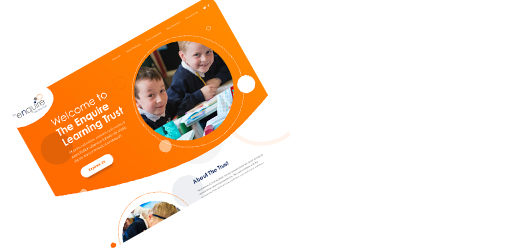
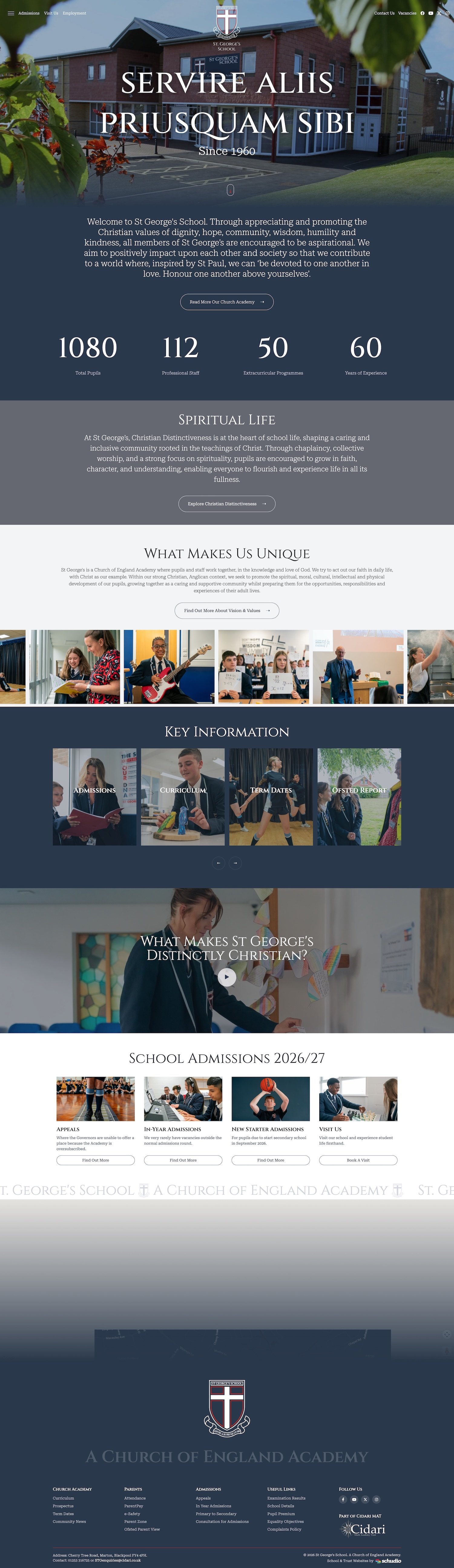
A good example of these ideas working together is St George’s School, a Church of England secondary academy in Blackpool and part of Cidari Multi Academy Trust. In 2026 the school, already working with Schudio, took on a bespoke website build and a wider branding project at the same time, and used the moment to rethink its written content and navigation too.
Three things stand out for anyone planning their own website design:
- The identity comes first. The school’s values of dignity, hope, community, wisdom, humility and kindness shape the whole site, rather than sitting in a badge on an otherwise generic page. Spiritual life has a prominent place on the homepage and a page of its own, explaining the chapel, collective worship and chaplaincy alongside the school’s inclusive approach for families of every faith and none.
- Brand and website were designed together. Schudio produced a full brand kit and brand guide alongside the website, plus document templates so policies look like they belong to the same school. St George’s own brand stays prominent, with the Cidari identity acknowledged more subtly.
- The school shaped the structure. Its leadership decided what the homepage should introduce and proposed a menu that separates the welcome from academy life, curriculum, extracurricular activities, pastoral support and statutory information, so prospective and current families each find their own route.
Photography and video were planned in from the start, with a two day visit arranged while the design and content work carried on. The school says the result has made a significant difference to how it communicates with families.

“The team at Schudio worked in genuine partnership with us to unite our website design with a fresh brand kit and refreshed narrative.”
St George’s School, Blackpool
You can read the full story in our St George’s Blackpool case study, or see the finished website at stgeorgesblackpool.com.
Thoughtful motion, not distracting effects
Subtle animations, such as a section gently fading in as you scroll, can make a site feel polished. Interactive elements like expanding FAQs or a filterable calendar can help visitors find things faster on smaller screens. Heavy effects, autoplaying videos and parallax scrolling that judders on an older phone do the opposite. If an effect makes the page slower or harder to read, take it out. Good design elements earn their place by helping someone do something.
What the best school website does for prospective parents
For prospective families, your website is often the first visit they make to your school. It’s worth looking at it as a stranger would. Here’s what the best school website gets right for prospective parents.
- It shows what the school feels like. Real photos, a short welcome, and a sense of the people and values behind the building.
- It answers the practical questions. Start and finish times, wraparound care, uniform, lunches, transport and term dates.
- It makes visiting easy. Open days, tours and a clear way to ask about a place, right where families expect to find them.
- It’s honest about inclusion. Clear SEND information and a named person to talk to, which matters to many families more than any headline result.
- It’s up to date. Recent news and a current calendar prove the school is busy and well run, and that leaves a lasting impression.
The website also has to reassure families who already have a place. Current parents use the site far more often than prospective ones, and their experience shapes what they tell other families at the gate. A site that serves current families well tends to win new ones too.
What multi academy trusts should plan for
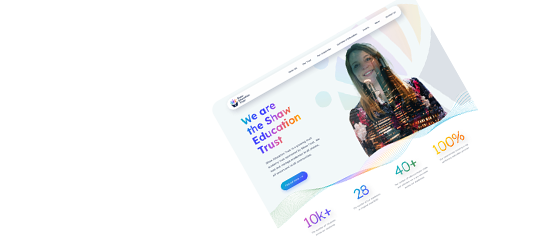
Trusts have an extra layer to think about: the trust website itself, plus every school website, all of which need to be right. The trend for 2027 is towards consistency without sameness. A shared platform, shared standards and shared statutory content where it makes sense, with each school keeping its own name, photography and voice.
There’s also a new trust duty coming up. The Academy Trust Handbook 2026, effective from 1 October 2026, asks multi academy trusts to publish on their website a summary statement, alongside the annual accounts and by 31 January, explaining how funds are distributed across their schools. The first statement is due by 31 January 2027, so it’s worth putting a page in the plan now.
If you’re weighing up moving every school onto one platform, our guide on how to choose the right school website provider covers the questions to ask, and you can see how we work with trusts on our multi academy trust websites page.
Your 2027 school website checklist
Use this as a quick health check. Try it on your phone rather than at your desk, because that’s how most families will see it. Tick each one as you go: your ticks are saved in this browser, so you can come back to it.
2027 readiness checklist
How ready is your school website?
0 of 0 ticked
Phone and navigation
Accessible to everyone
Content and freshness
Admissions
Compliance
AI and ownership
If most of those are a yes, you’re in good shape. If several are a no, don’t worry. Pick the three that families would notice most and start there.
Common mistakes to avoid
These are the mistakes we see most often when schools try to modernise a website. Every one of them is easy to fix once you've spotted it.
Redesigning the look without fixing the content
A new website design on top of old content is still old content. Before you change how the site looks, decide what it needs to say, remove what nobody reads, and rewrite the pages families use most.
Testing only on a desktop
Leaders often review a new website on a big screen in an office. Families mostly see it on a phone. Always sign off a website on the device most parents will use.
Chasing trends that slow the site down
Large background videos, heavy animations and too many features can make a site feel exciting in a demo and painfully slow on a phone with a weak signal. Speed is part of the user experience. If it doesn't help a parent, leave it out.
Treating compliance as a once a year job
Statutory information drifts. Policies get updated in the office but not on the website, governors change, and new duties arrive. An annual check catches problems months after they started. A simple termly routine is far more reliable.
Letting AI publish without a person checking
AI tools are genuinely useful, but they can get things wrong with total confidence. A wrong date or an invented policy detail on a school website reflects on the school, not the tool. Always keep a person in the loop.
Where to start if your website feels behind
You don't have to do everything at once. A sensible order for many schools is to fix the phone experience and navigation first, then bring key information out of PDFs into pages, then set up a regular news rhythm, and then look at admissions. Compliance should run alongside all of it, as a habit rather than a project.
If your current platform makes those things hard, that's worth knowing too. The right school website software should make it easy for any staff member to publish news, update pages and keep things compliant without needing a specialist. You can see how Schudio's school website software handles this, and our team is always happy to talk it through.

Frequently asked questions
What are the main school website trends for 2027?
The trends that matter most are mobile first design, simpler navigation, accessibility to WCAG 2.2 AA, writing key information as pages rather than PDFs, regular news, real photography, a clear admissions process, AI used with human review, and compliance kept up all year.
Do school websites have to meet accessibility rules?
Schools and nurseries are partially exempt from the 2018 accessibility regulations, but not for content people need to use your services, such as forms. GOV.UK guidance says partially exempt organisations still need to publish an accessibility statement, and the Equality Act 2010 applies to every school. Aiming for WCAG 2.2 AA is the sensible standard.
How often should a school update its website?
News and events should be updated at least every week or two so the site feels alive. Statutory information should be checked every term, and whenever a policy, governor or key date changes.
Have the DfE website requirements changed for 2027?
The two DfE lists of what schools must publish online were last updated on 24 October 2024. However, a new duty to publish an allergy safety policy on the school website came into force on 1 September 2026 under the Children's Wellbeing and Schools Act 2026, and multi academy trusts must publish a funds distribution statement by 31 January 2027 under the Academy Trust Handbook 2026.
Is a new website design enough to fix an outdated site?
Usually not. A new website design helps, but families notice out of date content, hard to find information and old news far more than they notice a font. Start with the content and the phone experience, then refresh the design.
Should schools use AI on their website?
AI can save staff time drafting news and checking pages, and a well built assistant can answer common questions. A person should review everything before it's published, and AI should never invent information about admissions, safeguarding, SEND or policies.
Can schools use AI generated images of children on their website?
Yes, and in some cases it's the safer choice, because a child who doesn't exist can't be traced to a real pupil. Create them entirely from a written description, never from a real pupil's photo, use a tool you're licensed to use commercially, label them honestly as illustrative and check them before they're published. Keep real photography for your staff, classrooms and pupils' work.
What do prospective parents look for on a school website?
They want to understand what the school feels like, find practical information quickly, see clear SEND information and know how to visit or apply. Up to date news and real photography make a big difference to first impressions.
Final thoughts
The future of school websites isn't really about technology. It's about families. Parents in 2027 will expect your website to work on their phone, to answer their questions without a phone call, and to show them a school that's busy, honest and well run. The good news is that none of that needs a dramatic overhaul. It needs a clear plan, a platform that makes the right things easy, and the habit of keeping things up to date all year round.
Ready, not rushed. That's what a good school website looks like, in 2027 and beyond.

Related Posts
Ian Richardson
October 13, 2026
AI-generated school content saves time, but accuracy, tone and safeguarding still need a person. What DfE guidance says, who reviews what, and a checklist.
Ian Richardson
October 7, 2026
What a school website chatbot should answer, what it should never answer, and how to get your pages ready before you switch one on. A guide for leaders.
Ian Richardson
September 30, 2026
What schools should not use AI for, the AI safeguarding risks behind each limit, what KCSIE 2026 now says, and a practical checklist for school leaders.
Ian Richardson
September 16, 2026
Introducing the Schudio AI Suite: AI school website software that checks what you publish, drafts pages in your school's voice and answers parents' questions.
Ian Richardson
July 29, 2026
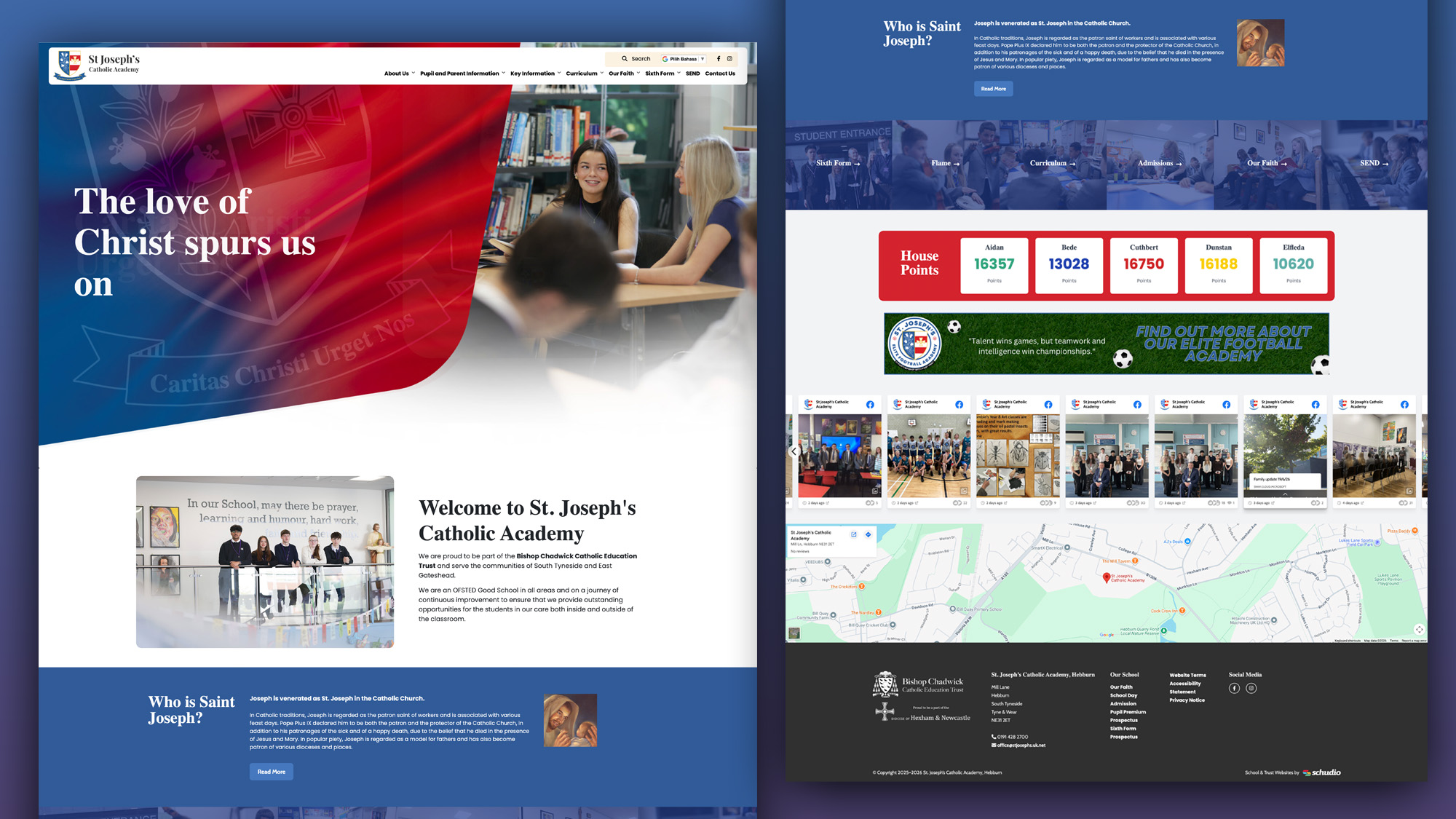
What parents look for in a school, and how your website answers it before they visit: culture, safeguarding, SEND support and clear practical information.
Ian Richardson
June 24, 2026
A school website says a lot before a parent reads a full page. Parents make ..