How to Choose the Right School Website Provider: 12 Questions to Ask
How to Choose the Right School Website Provider: 12 Questions to Ask
Choosing a school website provider is a decision your school will live with for years. The company you pick will design your website, host it, keep it secure, train your staff and answer the phone when something goes wrong in the middle of a busy term. Get it right and your website quietly works for you every day. Get it wrong and you inherit a site your staff avoid, a support line nobody answers and a renewal bill full of surprises.
This guide is for headteachers, deputy headteachers, school business managers, office staff and trust leaders who are comparing school website providers. It covers what a provider should actually do, the questions worth asking every company on your shortlist, what the law expects of a school website, the red flags to watch for, and what multi academy trusts need to think about. Use it whichever provider you choose.
Your website is also the first place most prospective parents meet your school and one of your most important marketing tools. It carries your branding and values, it is central to communication with your school community, and it shows what your school is like long before a family visits.
The short answer: what matters most when choosing a school website provider
If you only have five minutes, these are the things that separate a good school website provider from a poor one:
- They know schools. They work in the education sector, they understand what schools must publish online, and they can show you live websites for schools like yours.
- The CMS is easy for your staff. The content management system is the part your team will use every week. If it’s awkward, your website will go stale.
- Support and training are included, not rationed. You can speak to a real person who understands schools, and new staff can be trained without a fresh invoice.
- It’s accessible, mobile friendly and secure. Most parents read your website on a phone, public sector accessibility rules apply to schools, and your provider is handling data on your behalf.
- The cost is clear for the whole contract. You know what is included, what costs extra, and what happens at renewal.

What does a school website provider actually do?
A good school website provider does far more than build a homepage. Expect them to handle the whole job, from the first conversation to the years after you go live:
- Create a school website design that reflects your branding, ethos and values
- Showcase school life through photography, news, events and social media
- Build it on a content management system your staff can use without technical help
- Move your existing content across from your current school website
- Provide secure hosting, backups and ongoing software updates
- Help you publish the information schools are required to show online, and keep it current
- Train the staff who will keep the website up to date
- Support you by phone and email for as long as you are a customer
Some companies only do the website design and leave the rest to you. Others sell a platform and expect your team to build the site yourselves. A general design agency may produce something attractive but have no idea what a governance page or a pupil premium statement is. Knowing which kind of company you are talking to, and exactly which services are in the package, is the first step.
Start with what your school website needs to do
Before you compare providers, be clear about what your new website needs to achieve. It sounds obvious, but it is the step most schools skip, and it makes every later conversation easier.
Most schools want their website to do four things well:
- Welcome prospective parents and give them a real feel for the school before they visit
- Keep existing parents informed with letters, term dates, news and events they can find in a couple of taps
- Meet the publishing requirements so the statutory information is complete and up to date
- Take as little staff time as possible to keep current, so it does not depend on one person
Decide which matters most right now. A school with falling rolls will weight admissions heavily, a trust may care most about consistency, and that tells you which questions to push hardest on.
Different schools need different things from a website
A nursery, a primary school, a secondary school, a special school and a multi academy trust all need something different. A good provider will ask you about this early rather than offering everyone the same thing.
Primary school websites
A primary school website is read mostly by parents, very often on a phone at the school gate or on the sofa in the evening. Letters, term dates, class pages, clubs and the calendar need to be a tap away. Design matters, but speed and simplicity matter more. The best primary school websites also show everyday school life through photos and news, because that is what reassures new parents.
Secondary school and sixth form websites
A secondary school speaks to Year 6 families choosing a school, current parents, students and future staff all at once. That calls for a clear route in for each audience, strong admissions and open evening pages, and usually a more bespoke design that helps the school stand out.
Special school websites
Families of children with SEND often come to a special school website with very specific questions. Accessibility, calm and clear design, plain language and easy to find SEND information matter even more here than elsewhere.
Multi academy trust websites
A trust website has to explain the trust, meet the trust’s own publishing duties and connect to every school in it. Trusts also need shared standards and a way to see compliance across all their schools at once. There is more on this in the trust section below.
12 questions to ask every school website provider
These questions will quickly separate a specialist school website provider from a generalist web design company. Ask every provider on your shortlist the same ones, discuss the answers with the people who will actually use the website, and compare them side by side.
About their experience and website design
1. Have you worked with schools like ours? Ask for examples from schools of a similar type and size, and ask what the provider would do differently for you. A specialist in educational website design will have an answer straight away. You can see how this works in practice on our page about school website design for every type of school.
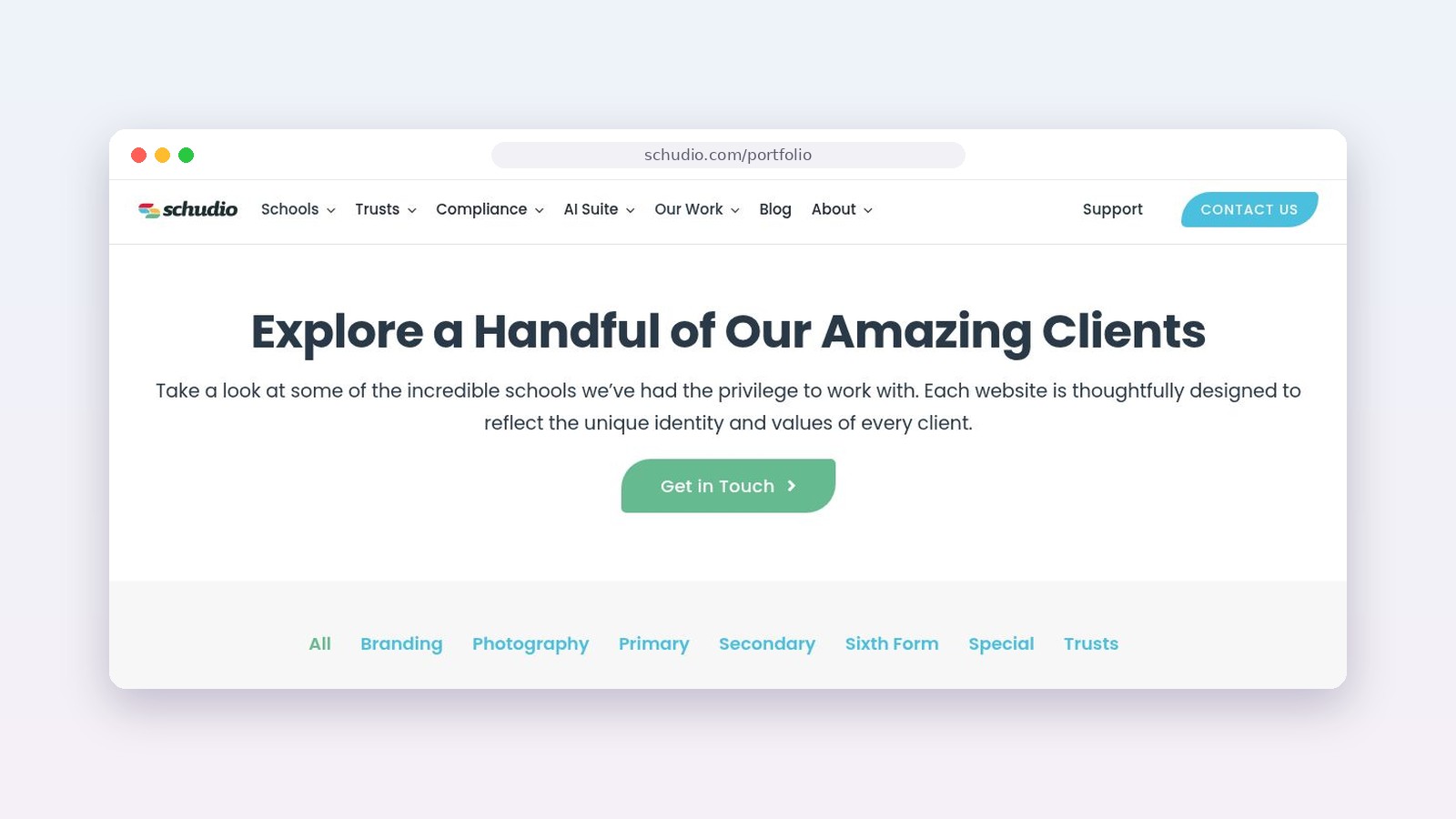
2. Can we see live websites you have built? Mockups are useful, but a live website tells you far more. Spend ten minutes on each, ideally on your phone. Are the menus clear? Can you find the term dates, the latest letters and the contact details quickly? Do pages load fast? Any provider should be happy to share a portfolio, and you can browse examples of our work here.
3. How does your design process work? Ask how many rounds of changes are included, whether you will see your design before anything is built, and who from your team needs to be involved. A good design process feels collaborative and clear, with realistic timelines that respect the school calendar.
About the content management system
4. Who built the CMS, and how easy is it for staff? Some providers build their own content management system for schools. Others use WordPress or another general platform with school features added on top. Neither is automatically wrong. What matters is how it feels to the person who updates the website. Ask for a demonstration, and if you can, let that person try it. How many clicks does it take to add a news story, upload a letter or change a calendar date? Ask too how many users can have a login, and whether you can control what each person can edit.
5. What features and school tools come with it? Don’t be swayed by the length of a features list. Look for the features your staff will actually use every week. Calendars, newsletters, forms, policy pages, staff lists, class pages and curriculum pages should be built in, not bolted on. Ask whether updating a document in one place updates it everywhere it’s linked, because a policy linked from three pages and updated on one is one of the most common reasons a school website drifts out of date.
About support and training
6. What support is included, and who answers the phone? Is support unlimited or capped? Is it by phone as well as email? Will you speak to a friendly team who understand schools, or join a ticket queue? Ask other schools how quickly their questions are answered. Their answers are worth more than any brochure.
7. How will our staff be trained, now and later? Ask whether training is limited to a set number of people or sessions, and what happens when a new office manager joins next September. Staff change. Your website shouldn’t stop working when they do.
About compliance and accessibility
8. How will you help us stay compliant? Schools in England have to publish specific information on their websites. Ask every provider how they help you meet that. Do they check the site before it goes live? Do they tell you when something changes? Does the CMS remind you when a policy is due for review? A provider that only says “the website will be compliant” without explaining how is one to question further.
9. Which accessibility standard do you build to, and who writes our accessibility statement? More on why this matters below. Ask for the specific standard and version, not just “it’s accessible”.
About security, hosting and data
10. Where is our website hosted, and how is it kept secure? Ask where the servers are, how often backups are taken and where they are kept, how software updates are handled, and what happens if the site goes down.
About cost and contract
11. What exactly is included, and what costs extra? Ask for a written list. Content transfer, training, support, new pages, software updates, new features and compliance tools are all things that are sometimes included and sometimes charged for.
12. How long is the contract, and what happens at renewal? Ask about the contract length, notice period, how prices change at renewal, and whether you can take your content with you if you leave.
Bespoke school website design or a template?
Neither is wrong, but you should know which you are buying.
A ready designed template can be a sensible, cost effective choice, especially for a smaller primary school that wants a professional, mobile friendly site quickly. A good template is still set up with your logo, colours and photography, so it feels like your school rather than a theme with a logo dropped in.
Bespoke design starts from your branding and is built around your ethos, your audiences and your priorities. It usually matters more for secondary schools, sixth forms, special schools and trusts that need to speak to several audiences or stand out in a competitive area.
Mobile friendly and accessible: what the law expects
This is one area where you need facts, not sales talk.
The accessibility regulations
The Public Sector Bodies (Websites and Mobile Applications) (No. 2) Accessibility Regulations 2018 came into force on 23 September 2018. GOV.UK says a public sector website meets the legal requirements if it meets the WCAG 2.2 AA accessibility standard and publishes an accessibility statement explaining how accessible it is.
Schools are treated a little differently. GOV.UK lists primary and secondary schools and nurseries as partially exempt, except for the content people need in order to use their services, such as a form for school meal preferences. Partially exempt organisations still need to publish an accessibility statement. And every school still has duties to disabled people under the Equality Act 2010, which the regulations build on.
In practice, the partial exemption is not a reason to accept an inaccessible website. Parents with impaired vision, dyslexia, motor difficulties or a temporary injury all use your site, and GOV.UK notes that accessible websites usually work better for everyone. Ask each provider which version of WCAG they build to, how they test it, and whether they help you write and maintain your accessibility statement.
Mobile friendly by default
Most parents read school websites on a phone. A mobile friendly website is not a desktop layout squeezed down. It is planned for the small screen first, with menus, news and key pages that are easy to use with a thumb and that work across all screen sizes, from phones to tablets and desktops.
The biggest mobile problem on many school websites isn’t the design at all. It’s PDFs. Letters, newsletters and policies uploaded as PDFs are awkward to read on a phone and often difficult for screen readers. Our post on why PDFs are disappearing from school websites explains the alternatives. Ask each provider how their CMS makes it easy to publish information as web pages instead.
What schools must publish online
Separately from accessibility, the Department for Education sets out what maintained schools must publish online and what academies, free schools and colleges should publish online. Academies also have duties set by their funding agreement and the Academy Trust Handbook. A good provider will know these lists well, structure your website so each item has a clear home, and check it before you go live. Our School Website Requirements guide sets it all out in one place.
Security, hosting and data protection
Your school website provider is looking after an important public asset, and often some personal data too, such as staff names, enquiry forms or contact details. Security is easy to overlook when you are looking at designs, but it matters.
The DfE’s cyber security standards for schools and colleges point out that schools have a statutory responsibility, through Keeping Children Safe in Education, to keep children safe online as well as offline, including appropriate cyber security measures. The standards ask schools to check the security of cloud based services and to have backups held in a different physical location from the original data.
So ask each provider:
- Where is the website hosted, and is it in the UK?
- How often are backups taken, where are they kept, and how quickly can the site be restored?
- How are software and security updates applied, and are they included?
- How are staff accounts protected? For example, is two step sign in used for the CMS?
- Will you sign a data processing agreement, as UK GDPR requires when a supplier processes personal data on your behalf?
Understanding the real cost of a school website
School budgets are tight, so cost always matters. But the price of the build is only part of the picture. The real question is what you get for the years after the website goes live.
When you compare quotes, compare the whole contract, not just year one. Add up any setup fee, the annual fee, support, training, extra pages, content transfer and anything charged at renewal. Then ask what is not included. A low quote that turns into a stack of add on charges is not good value, and a cheap website your staff can’t manage is a false economy.
School website pricing varies a lot between providers, so it’s worth reading our separate guide on how much a school website should cost before you compare quotes. It goes into packages, what should be included and the questions to ask about price.
Buying properly: procurement and value for money
However small the contract, your school still needs to show it has bought sensibly. The Procurement Act 2023 came into force in February 2025, and the DfE’s Buying for schools guidance explains the permitted buying routes and links to its Get help buying for schools service, which lists DfE approved buying options.
Maintained schools also follow their local authority’s financial regulations, and academy trusts follow the Academy Trust Handbook, which expects trusts to secure value for money. Your school business manager will know which rules apply and what level of quotes you need. The practical point for this guide is simple: comparing three providers against the same questions, in writing, is good practice and gives you a clear record of why you chose the one you did.
Choosing a provider for multi academy trusts
Trusts have everything a single school has to think about, multiplied by the number of schools, plus a few things of their own.
One provider or several?
Many trusts inherit a different website provider for every school. Moving all schools to one provider can mean shared standards, one support relationship and a clearer overall cost. It also means more depends on getting the choice right, so involve heads and office teams early. Ask providers how they handle schools joining the trust part way through a contract.
A trust website and a site for every school
Ask whether the provider can build a trust website alongside individual school websites that share a recognisable family look while each school keeps its own identity. Ask how news and documents can be shared between the trust site and school sites without uploading everything twice.
Central oversight of compliance
Trust leaders need to know, without opening every website, which schools are compliant and which have gaps. Ask whether the provider gives central teams a view across all schools. The trust website also has its own publishing duties under the Academy Trust Handbook, so ask how those are covered. You can read more about how we support trusts on our page for multi academy trust websites.
Red flags when comparing school website providers
Most providers will tell you what you want to hear. These are the signs to slow down:
- No live school examples. Only mockups, or only websites for businesses.
- Vague answers about compliance. “It’ll be compliant” with no explanation of how.
- Support that is capped or charged per hour, or only available by ticket.
- Training for one or two people only, with new staff charged extra.
- No clear list of what’s included. If it is not in writing, assume it costs extra.
- Long contracts with unclear renewal pricing.
- No answer on accessibility standards, or a claim that “schools are exempt”.
- Your content is hard to get back. Ask what happens to your pages and documents if you leave.
- Pressure to sign quickly with a discount that disappears next week.

Switching from your current school website provider
If you already have a website, the biggest practical worry is usually timing. You may be unhappy with your current provider but still have months left on the contract, and nobody wants to pay two providers at once.
Start by finding your current contract end date and notice period. Then give yourself enough time to choose properly and build the new site without a rush. A rebuild squeezed into the last few weeks before a contract ends is where content gets lost and corners get cut.
Some providers will start designing and building your new website early and begin charging only when your existing contract ends. Ours is called the Confident Move, and our page on switching school website provider without double paying explains how it works. Whoever you choose, ask how they handle content transfer, redirects from your old web addresses and the launch date.
A checklist for your shortlist
Use this checklist when you compare school website providers. Score each provider against every line, and use it to brief the people involved in the decision.
- Specialises in the education sector, with live websites for schools like ours
- Clear design process with our input, and a realistic timeline
- Bespoke design or template, and we know which we are getting
- A CMS our staff tried and found easy to use
- School tools built in: calendar, news, newsletters, forms, policies, documents
- Content transfer from our current website included
- Unlimited support by phone and email, from people who understand schools
- Training for all staff, including new starters
- Help with the statutory publishing requirements, and a check before launch
- Named accessibility standard (version stated) and help with our accessibility statement
- Mobile friendly, tested on phones and tablets
- UK hosting, regular backups, security updates included
- Data processing agreement available
- Written list of what’s included and what costs extra
- Clear contract length, notice period and renewal terms
- References from schools we have spoken to ourselves
Common mistakes to avoid
We talk to a lot of schools who are on their second or third provider. The same mistakes come up again and again.
Choosing on the homepage alone
A beautiful homepage mockup is the easiest thing for any company to produce. It tells you nothing about the CMS, the support or the years after launch. Judge the whole package.
Leaving the person who updates the website out of the decision
The office manager or administrator who will update the site every week should see a demo and ideally try the CMS. If they find it awkward, your website will go stale, whatever it looks like.
Comparing year one prices only
Compare the whole contract. Add up every cost over three or more years, including renewal, before deciding which provider is cheaper.
Assuming compliance is somebody else’s job
Your school is responsible for what it publishes. A good provider makes that much easier, with structure, reminders and checks, but you still need to keep information current. Ask how the provider helps, and plan who in school will own it.
Starting too late
Leaving the decision until your contract is almost over forces a rushed build. Start looking six to twelve months before your current contract ends.
How Schudio answers these questions
We would much rather you asked every provider the same questions than took our word for it. For transparency, here is how we answer them.
We have built more than 1,000 school websites since 2011, for primary schools, secondary schools, sixth forms, special schools and multi academy trusts across the UK, and we have carried out more than 2,500 compliance audits. Our school website software is a content management system built for schools, with Document Groups so a document is published once and updated everywhere, policy review reminders, and two step sign in for staff accounts.
Every Schudio school website includes a design built around your logo, colours and brand, content transfer from your existing website, secure hosting and software updates, unlimited support from a named team, unlimited training for every member of staff, and compliance software with an audit before launch. Primary school website packages start from £475 a year plus VAT, with no setup fee. Secondary schools, sixth forms, special schools and trusts usually want a fully bespoke design, so we quote in writing after a short conversation.
If you’d like to check your current website against the requirements while you are deciding, our school website audits are a good place to start.
Frequently asked questions
What should I look for in a school website provider?
Look for experience in the education sector, live examples for schools like yours, an easy to use CMS, unlimited support and training, help with the publishing requirements, accessibility and mobile friendly design, secure UK hosting and clear pricing over the whole contract.
How long does it take to build a new school website?
It depends on the provider, the design and how much content you have, but most schools should allow a few months from choosing a provider to launch. Leave extra time if you need a bespoke design or are fitting the project around a busy term.
Is a bespoke school website worth it?
For many primary schools a well set up template is good value. Bespoke design tends to matter more for secondary schools, sixth forms, special schools and trusts with several audiences or a competitive admissions picture. Either way, the CMS and support matter as much as the design.
Do school websites have to be accessible?
Schools are partially exempt from the 2018 accessibility regulations, except for content people need to use their services, but they still need to publish an accessibility statement and they have duties under the Equality Act 2010. The standard GOV.UK points to is WCAG 2.2 AA. An accessible website is better for every parent, so it is worth insisting on.
Can we change school website provider before our contract ends?
Check your contract’s end date and notice period first. Some providers, including us, will design and build your new website early and only start charging when your current contract ends, so you don’t pay twice.
Should a multi academy trust use one website provider for all its schools?
It often makes sense, because it gives shared standards, one support relationship and central oversight of compliance. It’s a bigger decision, though, so involve heads and office teams and make sure each school can keep its own identity.
A final word
Choosing a school website provider isn’t really about ticking boxes. It’s about finding the right team, the right platform and the right level of ongoing support so your website serves your school community well for years. Take your time, ask every provider the same questions, and listen closely to the schools who already use them. If you’d like a straightforward conversation about your options, we’re always happy to talk it through, with no pressure either way.

Related Posts
Ian Richardson
November 4, 2026
How much should a school website cost? Typical UK prices, the main pricing models, hidden costs to watch for and how to compare quotes fairly over time.

Ian Richardson
October 26, 2026
PDFs are disappearing from school websites. Here's what the school website accessibility rules say, why phones changed everything and how to move on calmly.

Ian Richardson
October 20, 2026
What should a school website look like in 2027? The school website trends that matter for UK schools and trusts, with a practical checklist and an FAQ.
Ian Richardson
October 13, 2026
AI-generated school content saves time, but accuracy, tone and safeguarding still need a person. What DfE guidance says, who reviews what, and a checklist.

Ian Richardson
October 7, 2026
What a school website chatbot should answer, what it should never answer, and how to get your pages ready before you switch one on. A guide for leaders.

Ian Richardson
September 30, 2026
What schools should not use AI for, the AI safeguarding risks behind each limit, what KCSIE 2026 now says, and a practical checklist for school leaders.