
Apps we love – Canva App Review
On this page
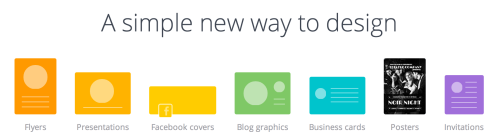
Canva is an online design tool and it’s amazing. Canva makes it really easy to quickly design for web or print. It has a number of pre-set sizes to use for different types of popular media. There’s also an option to enter a custom size for any individual specific requirements.
Creating Your Design
Working with Canva is really simple and after selecting your template or custom size canvas there are 5 different tools to customise your design.
Search
 This tool lets you look through over 1,000,000 (at the time of writing) images in the canva system and select them for use in your design. These range from lines, shapes, banners, text boxes, and even (excitingly!) device mock-ups that you can add customised images into.
Layouts
This tool changes the layout option of the design. On a pre-defined template examples of layouts are shown, on a custom size design the layout tool contains the grid options (that can also be found through search).
Text
The text tool overlays text to a design. The font type, colour, size can all be customised. There are a huge selection of pre-designed text boxes, many including a background image of some kind that can be added to your design, and then the text changed to your requirements.
Bkground
This tool lets you set the background image for your design, there are loads of background images to choose in canva, and they look great! But some of these are paid for. The next tool in the list can help to widen the range of designs you can create by adding your own images.
Uploads
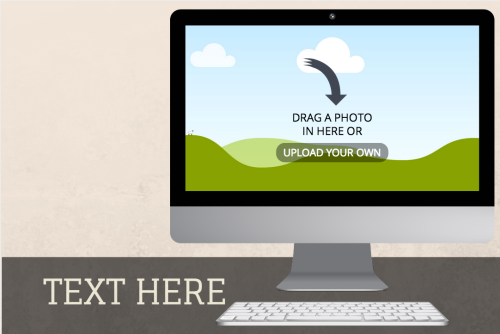
This tool gives the option to upload images from your computer (or link your facebook account and use any of the photos on your account) to then add to your designs. Once uploaded they can be added to any part of your design that accepts an image.
Canva Design School
Canva have also created a design school that sits alongside their design tool. At the time of writing it consists of 30 different tutorials each containing good useful principles to think about when working on your design. These are principles that can be applied to any design work, but the tutorial uses Canva and shows how easy it is to use.
Since writing this Canva app review I’ve been recommending Canva to lots of different people, some involved in design work already, some not. I thoroughly recommend you take a look at it, I’m sure you’ll be impressed with the results.
You can try Canva online at their website using this link to Canva.
Written by the team at Schudio
We are an owner-run firm in Blackpool, and have been since 2011. We build school and multi-academy-trust websites, the software behind them, and the compliance work that keeps them right. Our posts come out of the audits we run, so they say what we actually see.
A question about this post? Email hi@schudio.com and a real person will answer.
Keep reading
Always Ready
Want your website looked at properly?
Tell us what your site is like to keep up to date at the moment, and we will give you a straight answer on what would help.
Prefer a short email once a week? Get the Schudio newsletter.