Practical Ways Schools Can Use AI Safely
Practical Ways Schools Can Use AI Safely
Most schools are already using AI. Not because a policy told them to, but because a teacher tried it on a Sunday night, found it saved an hour on a scheme of work, and told the person next to them on Monday. That is how AI in schools has actually spread, and it is why the question for school leaders is no longer whether to allow AI in education at all. The question is how to use it safely, in the open, with the right guardrails around it.
The safe version is not complicated. It needs a clear line about what AI tools may and may not be used for, a firm rule that a person checks everything before it reaches a child or a parent, and a handful of use cases where the time saved is real. This guide sets out those use cases, the risks that genuinely matter, and what the Department for Education, Ofsted and the latest safeguarding guidance actually say about AI in education.
The short version
- Start with staff-facing AI, not pupil-facing AI. The DfE says it sees “more immediate benefits and fewer risks from teacher-facing use of generative AI”.
- The professional stays responsible. DfE guidance: “The quality and content of any final documents remains the responsibility of the professional who produced it and the organisation they belong to, regardless of the tools or resources used.”
- Keep personal data out. The DfE recommends personal data is not used in generative AI tools at all. That one rule removes most of the risk from most everyday use.
- Keeping Children Safe in Education 2026 now names AI. The edition in force since 1 September 2026 explicitly covers images “wholly generated using artificial intelligence”.
- Ofsted does not inspect your AI. Its published statement says inspectors “do not directly evaluate the use of AI, nor of any AI tool”, and that it does not expect providers to use AI at all.
- Write it down. A one page position on AI use, shared with staff, pupils and parents, is worth more than any tool you buy.
Where AI in schools has actually got to
The National Literacy Trust’s 2026 report, published on 18 August 2026, draws on 40,543 young people aged 13 to 18, 2,567 teachers and 3,073 parents. Four in five teachers (80.6%) reported using AI in 2026, up sharply from 58.0% in 2025. Four in five young people (79.0%) had used generative AI, with nearly three in five (59.5%) using it weekly or more often. For the education sector this is not a coming wave. It is the current weather.
What teachers use it for is telling. Among teachers using AI at least monthly, 73.2% used it for lesson resources, quizzes or tests, 46.3% for administrative tasks and 39.5% for adapting content. Only one in eleven (9.1%) used it for assessing pupils’ work, which suggests the profession has already worked out where the line sits.
Concern is rising alongside use. Three in five teachers (60.1%) were worried about pupils and students using AI, up from 43.2% in 2025, and only one in three teachers (32.6%) had received any training on critical AI literacy. That last figure is the one school leaders can fix quickly.
What early AI adoption looks like in committed schools
In June 2025 Ofsted published DfE-commissioned research into early adopters, titled ‘The biggest risk is doing nothing’, based on interviews with leaders from 21 schools, FE colleges and multi-academy trusts using AI for at least twelve months. Nearly all had an AI champion, usually a teacher with some technology confidence rather than a senior leader, whose job was to demystify AI for colleagues rather than police it. The reason school leaders gave for introducing AI was almost always reducing teacher workload. Nobody did it because it was exciting. They did it because a job was taking too long.
But the evidence of impact is thin. Ofsted notes that strong evidence of AI’s effect on educational outcomes is limited, and most of what exists is “explorative, short-term and in limited domains”. The DfE agrees: “We have limited evidence on the impact of AI use in education on learners’ development, the relationship of AI use and educational outcomes, and the safety implications of children and young people using this technology in the classroom.”
So there is a strong case for AI saving staff time, and not yet a strong evidence base for AI improving what children learn. Build on the first, treat the second with care. Ofsted also found that AI adoption by leaders is not keeping pace with use by teachers, pupils and students. When four in five teachers and four in five teenagers use these tools and the school has no stated position, the school carries all of the risk and none of the benefit of a shared approach.
The one rule that makes everything else safe
Whatever else changes across the education system, one principle holds. AI drafts. A person decides.
Generative AI is good at a first draft, a reformat, a summary or a set of variations on something you have already written. It is not reliable as a source of truth, and no part of the education system should treat it as one. The DfE lists what can go wrong: content can be inaccurate, inappropriate or unsafe, biased, taken out of context, taken without permission, out of date, or low quality. It can also produce what the guidance calls hallucination, which is “nonsensical, inaccurate or false information presented as fact”.
That is not a reason to avoid these tools. It is a reason to put them in the right place in a workflow. Use AI where a person was always going to review the output anyway, and where a mistake is visible rather than buried. Drafting a newsletter is a good use. Answering a parent’s question about a child’s SEND provision is a bad one.
DfE guidance says teachers, leaders and staff “must use their professional judgement when using these tools”, and that any content produced “requires critical judgement to check for appropriateness and accuracy”. Professional judgement stays with the person, and responsibility does not transfer to the software.
The same logic explains why teacher-facing use comes first. AI that pupils and students use directly brings a longer list of legal duties, and the DfE says schools and colleges choosing that route “must take great care to ensure they are abiding by their legal responsibilities”, including data protection, keeping children safe in education, and intellectual property law. Where pupils and students do use AI in education settings, the DfE names two safeguards: close supervision, and tools with safety, filtering and monitoring features built in.
Practical ways to use AI safely, task by task
These are realistic uses, grouped the way the DfE’s own free training materials on AI in education group them: teaching and learning, inclusion and accessibility, administration, and business and operations. For each one the test is the same. Would a person have checked this before it went out anyway?
Lesson planning and resource creation
This is where teachers report the most time saved, and where AI does most to reduce teacher workload. Turning a scheme of work you have already written into lesson outlines, then editing them hard. Generating ten practice questions at three difficulty levels so you are checking rather than inventing. Rewriting a text at a different reading age. Drafting three explanations of a tricky concept so you have alternatives ready when the first one does not land.
The trap is subject accuracy. General purpose AI tools were not trained on your curriculum, and the DfE notes results come from a training dataset “which may not be specific to our curriculum”. A plausible looking timeline with one wrong date is worse than no timeline, because it is harder to spot. Oak National Academy’s Aila, an AI lesson assistant funded by the DfE to support teachers and built around a quality assured English curriculum, usually beats a general chatbot here, and it is free.
Marking, feedback and assessment
Marking is the workload problem everyone wants solved, and the one to approach most carefully. Used well, AI can support teachers here without touching the judgement itself. Safe versions include generating a mark scheme from your own success criteria, drafting whole-class feedback from patterns you have already noticed, or producing model answers at different grades. Avoid uploading pupils’ work to a general AI tool and asking it to mark it. That puts children’s work, and often their names, into a system you do not control.
There is a hard rule for anything that counts. JCQ’s guidance on AI use in assessments, in force since 30 April 2025, says teachers “must not use artificial intelligence as the sole means of marking candidates’ work”. JCQ also requires centres to hold a malpractice policy covering AI: what it is, when it may be used, how it should be acknowledged, and what counts as misuse. Candidates must reference AI-generated content with the tool name and date, and keep a non-editable copy of the prompt and output to submit with their work.
Administrative tasks and the paperwork pile
Administrative tasks are the quietest win and often the biggest, and they matter as much to support staff as to teachers, because the work is high volume, low stakes and already checked by a person.
- Turning messy meeting notes into clean minutes with actions pulled out.
- Summarising a long DfE document into the five points that affect your setting.
- Drafting a routine letter, then rewriting it in your own voice.
- Reformatting a list, a table or a rota that arrived in the wrong shape.
- Turning a policy into a plain English parent summary, with the full policy still published.
One caution. Minutes very often contain personal data about staff or pupils. Strip names and identifying detail before anything goes near a general AI tool.
Letters, newsletters and website news
Communication is the everyday use most schools land on, and it fits well, because a newsletter is written, checked and then published. Draft an item from bullet points, shorten text that will not fit, translate a letter into the community languages your families speak, or turn one piece of news into versions for the website, the app and social media.
Two things to hold on to. Parents can tell when writing has no person in it, so edit for voice rather than shipping the first draft. And accuracy matters most where AI is weakest: dates, times, names and costs. Check every one by hand. We have written separately about how to use AI for school website compliance.
Inclusion and accessibility: where AI technologies earn their place
This area has the clearest benefit and the least attention, and AI technologies have been quietly supporting students here for years. Read aloud features for supporting students who need them, live captioning in assemblies and parents’ evenings, translating admissions information for multilingual learners and their families, simplifying text for pupils and students with additional needs, and producing alternative formats without writing the resource three times. Used well, these digital technologies widen access rather than replacing teaching.
Accessibility also has a legal edge. The public sector accessibility regulations apply to school and trust websites, and work like writing alternative text or plain English summaries is exactly what AI can speed up. A person still has to check the alternative text actually describes the image, because AI will happily write something confident and wrong.
Policies, compliance and operations
Policy work is repetitive and mostly about consistency, which suits AI support. Use it to compare a policy against current statutory guidance and list the gaps, produce a parent summary, turn a twelve page policy into a one page staff briefing, or check that dates and named roles are consistent across documents. Business managers have as much to gain: drafting tender specifications, summarising supplier contracts and flagging clauses worth reading properly, and writing up a health and safety walkabout into an action list.
Never let AI decide whether you are compliant. It will not know what changed last month and will state a wrong answer as confidently as a right one. Draft with it, verify every requirement against the source, and have the person with the professional responsibility sign it off. Our post on the most common school website compliance mistakes in 2026 covers the gaps real audits find.
What safe AI adoption looks like behind the scenes
The use cases are the easy part. The governance around them separates a school using AI safely from a school hoping for the best, and it is the piece the wider education sector is still working out.
Write a short AI policy people will actually read
One page is usually enough, and it should answer six questions: which AI tools are approved and which are not; what staff may use them for; what must never go into them, starting with personal data; who checks AI-assisted work before it is published; what pupils may use AI for, including homework and coursework; and who to ask when someone is not sure.
Tell teachers, support staff, pupils, students and parents what it says. That is part of your data protection duty, not just good manners. DfE guidance says schools “should be open and transparent about how they use generative AI tools”, and that staff, students, governors, parents and carers should understand how their personal data is processed.
Data protection comes first
The DfE position on generative artificial intelligence is clear: “It is recommended that personal data is not used in generative AI tools.” If teachers and support staff follow that one line, most of the risk disappears.
Where it is genuinely necessary, the DfE expects the school to take all steps to protect the data, make sure products comply with UK GDPR, and check with your DPO first. Watch for one trap: some tools use whatever you type as training data, and the guidance is explicit that personal data must not be used to further train the AI, because that could result in a data breach. AI tools also collect more than the text you type, including location, IP address and browser information, and that must be reflected in your privacy notice.
The ICO’s Children’s code does not apply directly to schools and colleges, but it does apply to edtech providers processing children’s data for their own purposes, and the ICO says schools should aspire to its standards as good practice. The ICO updated its Children and the UK GDPR guidance on 15 May 2026 to reflect the Data (Use and Access) Act 2025.
Safeguarding, filtering and monitoring
This is where the guidance moved most recently. Keeping Children Safe in Education 2026 came into force on 1 September 2026, and it names AI directly. The definition of nudes and semi-nudes now states that images “may also be digitally altered or wholly generated using artificial intelligence, including what are sometimes described as ‘deepfakes’ or ‘deep nudes'”. KCSIE 2026 also adds paragraphs signposting the DfE’s generative AI policy and the free staff resources produced with the Chiltern Learning Trust and the Chartered College of Teaching. Filtering and monitoring sit at paragraphs 173 to 177, and Annex C carries the full summary of changes.
If your safeguarding training and child-on-child abuse procedures were written before this, they need a look. AI-generated imagery of pupils is no longer an edge case, and your designated safeguarding lead should be able to say how a report would be handled.
The DfE also tells schools to check that filtering and monitoring systems cover generative AI. Plenty of schools have filtering configured from before these tools arrived in every browser, and those systems may not see AI chatbots at all. Risk assessments should cover unauthorised use cases too, and the guidance gives a pointed example: pupils using generative AI to create realistic looking emails that appear to come from the school to parents.
Intellectual property and cyber security
Copyright material can only be used to train AI with permission or under a statutory exception. Work created by pupils and teachers may well be copyright material, and the DfE notes the standard for that is low and does not depend on quality. So schools must not allow pupils’ original work to be used to train generative AI models without permission from the pupil as copyright owner, or a parent or guardian where the pupil cannot consent.
A second risk lands squarely on your website. The DfE warns about secondary infringement, which can happen if AI products are trained on unlicensed material and the outputs are then published more widely, and it gives the example of publishing on a school or college website. AI-generated images are the most likely place for this to bite, so use image tools your school is licensed to use commercially.
On cyber security, the DfE points out that generative AI could increase the sophistication and credibility of attacks. Phishing emails used to be easy to spot because the English was poor. That tell has gone, so your staff training needs to say so and your finance controls need to assume a convincing email from the headteacher might not be from the headteacher.
Age restrictions and choosing school AI tools
Most mainstream tools set a minimum age, and the DfE expects schools to comply with the age restrictions set by AI tools and open access large language models. A tool being free does not make it appropriate for a Year 5 pupil.
When choosing a product, lean on the DfE’s Generative AI: product safety standards, published in January 2025 and updated on 19 January 2026 to add standards covering cognitive development, emotional and social development, mental health and manipulation. It is written for suppliers, but the DfE says schools may also find it helpful. Used as a buyer, it gives you six fair questions:
- Does the product state its intended educational use cases clearly?
- Is filtering built into the product rather than bolted on?
- Does it log activity and report to teachers?
- Does it resist attempts to bypass its safety controls?
- Is it compliant with UK GDPR and the Data Protection Act 2018?
- Does it commit to not using pupils’ or teachers’ work to train models without consent?
Pupils, homework and critical thinking
The DfE suggests schools and colleges review homework policies and other unsupervised study to account for generative AI, develop guidance on when it is acceptable for educators, pupils and students to use these tools, and consider how they engage with parents about it.
A blanket ban is tempting and rarely works. Say instead what AI may be used for at each stage. Researching a topic is different from generating the answer you hand in. Many schools ask pupils to declare AI use as they would a source, which turns an enforcement problem into a conversation about honesty and matches what JCQ already requires for assessed work.
Pupils and students are getting more thoughtful. In 2026, 52.3% of young people said they check AI outputs, up from 42.8% in 2025, and 56.5% add their own ideas. More than three in five (62.8%) agreed that it should help you think, not think for you. But one in four (24.1%) said they simply copied AI outputs for homework, rising to nearly one in three (31.6%) among pupils receiving free school meals.
Critical thinking is the skill most at risk, and also the antidote. Teaching pupils and students to interrogate an AI answer, spot where it is wrong and improve it beats trying to detect whether they used it. The DfE’s product safety standards now expect suppliers to mitigate cognitive deskilling and long-term developmental harm to learners, so the concern is taken seriously at policy level too.
The digital divide is about support, not just devices
Access is not equal, and neither is support at home. The National Literacy Trust found that while 80.0% of the highest-income parents felt confident supporting their child with AI, that fell to 31.0% among the lowest-income parents. Set that alongside the free school meals copying figure and the shape of the problem is clear. As one expert quoted in that research put it, “The real digital divide is those students who are equipped to critically engage with the outputs of AI tools.”
Until access is solved, design tasks that do not require AI at home, provide supervised access in school for pupils who need it, and teach critical use explicitly. Notably, 62.5% of parents agreed their child should learn about AI in school.
How Ofsted looks at AI
The published position is more relaxed than most school leaders expect. Ofsted’s statement says: “We do not look at AI as a stand-alone part of our inspections, and we do not directly evaluate the use of AI, nor of any AI tool.” And: “We do not expect or require providers to use AI in a certain way, or to use it at all. At this stage, we do not have the evidence we would need to define good use of AI for the purposes of inspection or regulation.” Inspectors are not required to actively look for AI use, and reports will not refer to it unless it is crucial to broader inspection decisions.
What inspectors can do is consider the impact of the technology on the outcomes and experiences of children and learners, including how the school responds to use by parents and pupils. Where those risks touch areas already inspected they are considered there, and Ofsted names three: data protection, safeguarding, and bias and discrimination. Any evaluation, it says, “is about the provider’s decision-making, what they have considered, and the impacts on children and learners, not about the tool itself.”
So the useful preparation is not a demonstration of clever technology. It is being able to say calmly what you decided, why, and what you put in place to manage the risks. Our guide to preparing your school website for inspection season covers the wider picture.
Free training on using AI in education
Before you buy anything, use what the DfE has already paid for. Using AI in education settings: support materials is a free set of four training modules covering AI in education for all school and college staff, first published in June 2025 and updated on 19 May 2026 for the 2026 to 2027 year. They cover the basics of AI, why you must check its output, the risks around safeguarding, ethics, data and intellectual property, and the use cases. Given that only a third of teachers report having had any training on this, and four in five teachers are using AI anyway, running these modules is probably the highest value hour you can spend this term.

A practical checklist for safe AI in schools
- Find out what is already happening. Ask teachers and support staff, without blame, which AI tools they use and what for. You cannot govern what you have not mapped.
- Name an AI lead. Curious and practical, not necessarily senior, with time protected to try things and show colleagues.
- Write the one page position. Approved tools, permitted uses, the personal data rule, who checks what, pupil use, and who to ask.
- Run the free DfE modules. All four, for teachers and support staff alike. Office teams have some of the best use cases.
- Check with your DPO. Confirm your privacy notice covers AI tools, and that nothing in use is quietly processing pupil or student data.
- Test that filtering and monitoring covers AI. If it was configured before generative AI arrived, assume it does not.
- Review your safeguarding response to AI-generated imagery. KCSIE 2026 covers deepfakes explicitly. Make sure training reflects that.
- Update homework and assessment guidance. Say what pupils and students may use AI for, how to declare it, and make sure your malpractice policy covers AI as JCQ requires.
- Refresh phishing training. Poor English is no longer the tell. Check your finance approval steps.
- Pick two or three use cases and measure them. Real time cost, agreed success measure, reviewed after a term.
- Tell parents what you are doing. A short paragraph on your website removes far more anxiety than silence.
Common mistakes to avoid
Putting pupil, student or staff personal data into a general AI tool. The most common mistake teachers make, and the most serious. Names, medical information, safeguarding detail and behaviour records should never be pasted into a public chatbot.
Publishing without reading. A newsletter with the wrong trip date costs more trust than the time it saved. Read every word, check every number.
Treating AI as a source of fact. Asking a chatbot what your school must publish produces a confident answer that may be a year out of date. Verify against the source.
Buying a product before writing a policy. A tool without a position around it just spreads the risk. The policy costs nothing and takes an afternoon.
Banning AI outright and hoping. A ban you cannot enforce pushes use underground and removes your ability to teach good practice.
Letting AI mark work that counts. JCQ is explicit that AI must not be the sole means of marking candidates’ work. That is a malpractice issue, not just a quality one.
Putting pupils’ photos into AI tools. Editing a real child’s photo with AI, even just to tidy the background, creates a manipulated image of that child and is a data protection question. Wholly generated images are the safer choice where you would otherwise need an identifiable child, as long as they are labelled as illustrative. We have written about pupil photos, AI risks and child protection in more detail.
Leaving governors out. Governors and trustees are accountable for data protection and safeguarding. They should know your position before somebody asks them.
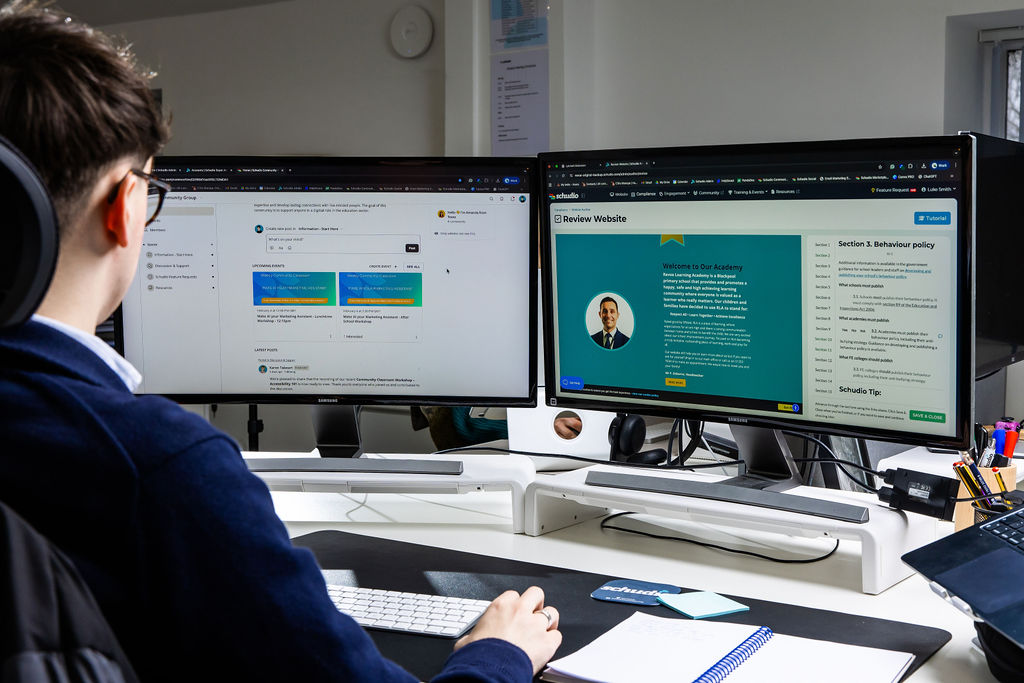
Where your school website fits in
Most of the practical uses here end up on your website. Newsletters, news items, policy summaries, letters and admissions information all get published, which makes the website the one place where all your digital technologies meet the public, and where AI-assisted work becomes visible to every family.
Two things follow. Your review step needs to be real, with someone checking dates, names, figures and tone before anything goes live rather than afterwards. And the tools built into your website can do more of this than a general chatbot, because they already know your content and your statutory requirements. For what those tools genuinely do, and what they do not, see our guide to AI school website software. Either way the principle is unchanged. AI can take the first pass. A person still publishes.
Frequently asked questions
Is it safe to use ChatGPT in a school?
For teachers and support staff, and for tasks containing no personal data, yes, with the usual checks. Drafting, summarising and reformatting are reasonable uses. Do not put pupil or staff personal data into it, and do not treat it as a reliable source of fact. Before pupils or students use it, check the age restrictions and whether your filtering and monitoring covers it.
Does the DfE allow AI in schools?
Yes. The DfE actively supports the safe and effective use of AI in education, and has funded free training materials, the Oak National Academy Aila lesson assistant and product safety standards for suppliers. Its guidance sets conditions rather than prohibitions: protect personal data, comply with safeguarding and intellectual property duties, respect age restrictions, and keep professional responsibility with the person producing the work.
Will Ofsted mark us down for using AI, or for not using it?
Neither. Ofsted’s statement is that inspectors do not directly evaluate the use of AI or any AI tool, and that it does not expect or require providers to use AI at all. Inspectors can consider the impact it has on children and learners, and look at the risks where they touch data privacy, safeguarding, or bias and discrimination.
What does Keeping Children Safe in Education 2026 say about AI?
KCSIE 2026, in force since 1 September 2026, updated the definition of nudes and semi-nudes to cover images digitally altered or wholly generated using artificial intelligence, including deepfakes. It also added signposting to the DfE’s generative AI policy and the free staff resources. Filtering and monitoring sit at paragraphs 173 to 177, and Annex C carries the full summary of changes.
Can we use AI-generated images on our website?
Yes, with care. Wholly generated images of children, never based on a real pupil’s photo, mean fewer real children’s faces online that could be misused, and they’re fine in your own setting and uniform. Label them as illustrative rather than presenting them as real events, and use a tool you’re licensed to use: the DfE warns about secondary infringement where AI trained on unlicensed material produces outputs that are then published, and names school websites as an example.
Where to start this term
The schools using AI well are not the ones with the biggest budgets. They are the ones that decided what they were doing, wrote it down, trained everyone, and kept a person in charge of the output.
That is achievable this term. Map what is already in use. Name someone to lead it. Write the one page position. Run the free training. Pick a couple of tasks that eat time and see what comes back. You do not need an answer to every question about AI in education to make a sensible start. You need a clear line on personal data, a person checking before anything is published, and the confidence to tell parents and governors what you decided and why.
If you would like to talk through where AI fits alongside your website and your compliance work, we are always happy to have that conversation.

Related Posts
Harry
September 24, 2025
When it comes to school website compliance for secondary schools, the rules are clear—but keeping ..
Ian Richardson
August 29, 2025
Your school website CMS should feel like a helpful home screen. The refreshed Schudio dashboard ..
Harry
May 25, 2025
The school website requirement to publish a school uniform policy was introduced in 2022, yet ..
Ian Richardson
May 15, 2025
In 2022, the requirement to publish school opening hours was introduced, yet many schools still ..

Ian Richardson
April 3, 2025
The requirement to publish gender pay gap information is a statutory obligation for schools, academy ..
Ian Richardson
November 3, 2024
Publishing a clear and accessible charging and remissions policy is a legal requirement for schools ..