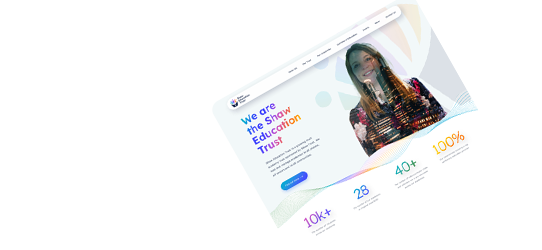
Have you tried… Updated Photo Galleries & Image Improvements
Have you tried… Updated Photo Galleries & Image Improvements

Photo Galleries
The updated photo galleries module is a powerful tool as part of your parental engagement strategy and provides users with the ability to quickly upload photographs and manage them from a single location with the option then to include them within any pages of content, news articles, blogs – almost anywhere on their website. The updated photo galleries module has been a staple of the Schudio School Website CMS for a number of years, and one of the most popular and widely used modules within the system and we’ve recently made it even better!
We’ve added the option to upload photos not only from your computer/iPad, as has always been the case, but images that are already in use on the website can be added to a photo gallery. ‘Drag and Drop’ support has also been included for photo gallery uploads. A progress bar is shown when files are being uploaded to the photo gallery too.
This link with the file manager has also allowed us to link the updated photo galleries module with the powerful built in image editor. This means images in photo galleries can be edited directly, they can be rotated to the correct orientation, cropped if required or any of the other improvements and tweaks that can be performed within the editor.
Other Image Improvements
This is quite a broad grouping of improvements but they are quite wide reaching over the system. For starters anywhere that has an image upload field has been updated with two options for upload. There’s a quick upload option to quickly add an image from your device to the website content, and there’s also the select image option to select an image from the files already used on the website (or to navigate to the folder the new image is to be uploaded into).
We’ve also improved file manager to allow multiple file uploads. It’s now possible to upload a group of files in one go into file manager, something previously only possible within photo galleries.
The Schudio School Website CMS powers the features that you need to keep your website looking good, with up to date and useful content to present attractively to your school community. These image improvements are a direct result of client feedback, so please keep it coming, we listen to your feedback and will continue to improve our system to ensure it remains the best content management platform schools can use.
Take a look at our video covering some of the image improvements and updated photo gallery here:

Related Posts
Ian Richardson
November 4, 2026
How much should a school website cost? Typical UK prices, the main pricing models, hidden costs to watch for and how to compare quotes fairly over time.

Ian Richardson
November 4, 2026
How to choose a school website provider: 12 questions to ask, what the law expects on accessibility, red flags, real costs and advice for multi academy trusts.
Ian Richardson
October 26, 2026
Schudio's new Training Dashboard shows school staff their CMS training, their level, how their school compares and what to learn next. Here's how it works.

Ian Richardson
October 26, 2026
PDFs are disappearing from school websites. Here's what the school website accessibility rules say, why phones changed everything and how to move on calmly.

Ian Richardson
October 20, 2026
What should a school website look like in 2027? The school website trends that matter for UK schools and trusts, with a practical checklist and an FAQ.

Ian Richardson
October 13, 2026
AI-generated school content saves time, but accuracy, tone and safeguarding still need a person. What DfE guidance says, who reviews what, and a checklist.